

Babysense Pro vs Prisma: Which Is Best for Clear Viewing?
A head-to-head comparison of two of Babysense's most advanced non-Wi-Fi monitors, the Prisma and the MaxView Pro, covering shared features, key differences, and which one fits different family setups.




Published July 3, 2026
AI Summary


Finding the right baby monitor isn't just about picking the most premium option on the shelf. It's about finding the one that actually fits your nursery setup and the way your family lives.
When it comes to the Babysense video baby monitor range, the Babysense Prisma and the Babysense Pro sit at the premium end of the Babysense range. This is what makes choosing between them tricky. This guide walks you through what they share, where they differ, and which one is the better fit for your family.
Get Secure Monitoring
Babysense monitors give you clear HD footage and peace of mind, night after night.
Babysense Pro vs Babysense Prisma
What Babysense Prisma and Pro Have in Common
Before getting into the differences, it's worth knowing that both monitors share a strong foundation. Whichever you choose, you're getting a genuinely capable baby monitoring device.
Feature | Babysense Prisma | Babysense MaxView Pro |
|---|---|---|
Wi-Fi Required | No | No |
Hack-Proof Connection | ✓ | ✓ |
HD Video Quality | ✓ | ✓ |
Night Vision | ✓ | ✓ |
RGB Ambient Night Light | ✓ (6 colors) | ✓ (6 colors) |
Two-Way Talk | ✓ | ✓ |
White Noise and Lullabies | ✓ | ✓ |
Temperature Monitoring | ✓ | ✓ |
Multi-Camera Support | Up to 4 cameras | Up to 4 cameras |
Remote Pan, Tilt, and Zoom | ✓ (2x and 4x) | ✓ (2x and 4x) |
Range | Up to 1,000ft | Up to 1,000ft |
Which Monitor Is Right for Your Family?

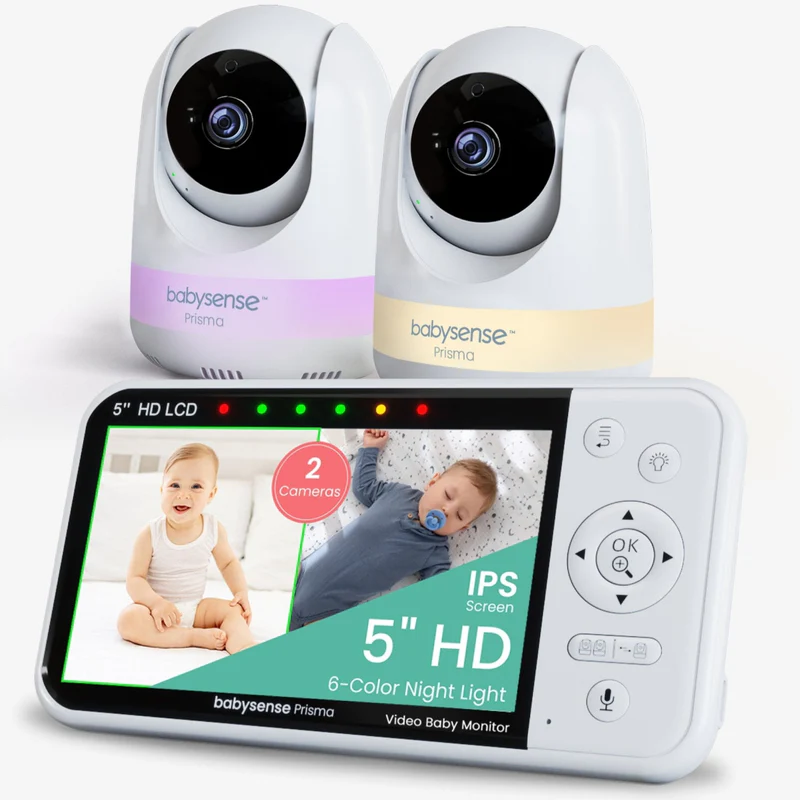
Babysense Prisma, 2 Cameras
All-in-one nursery monitoring, beautifully simple.
Display & Resolution
Compact 5-inch 720p HD display
Camera Support
Supports up to 4 pan-tilt-zoom cameras with split-screen view
Nursery Soothing
Built-in 6-color RGB nightlight with 3 brightness levels plus sound machine
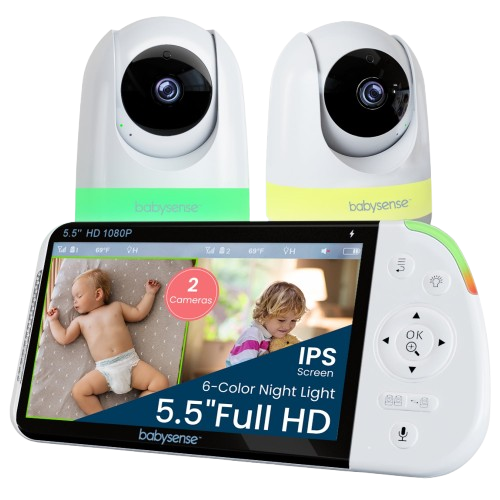
Babysense PRO
The clearest view in the Babysense range.
Display & Resolution
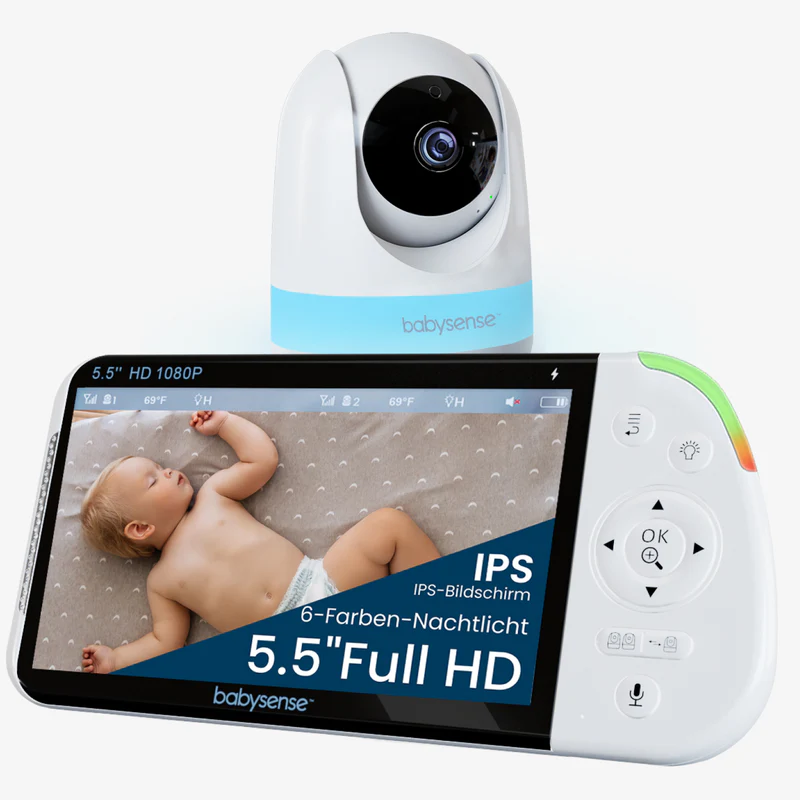
Expansive 5.5-inch 1080p Full HD display
Camera Support
Supports up to 4 pan-tilt-zoom cameras with enhanced split-screen view and automated audio SCAN mode
Nursery Soothing
Built-in 6-color RGB nightlight with 3 brightness levels plus sound machine
Key Differences Between Babysense Prisma vs MaxView
Screen size and resolution
This is the biggest difference between the two. The Prisma has a 5-inch 720p display, which is clear and comfortable for everyday monitoring.
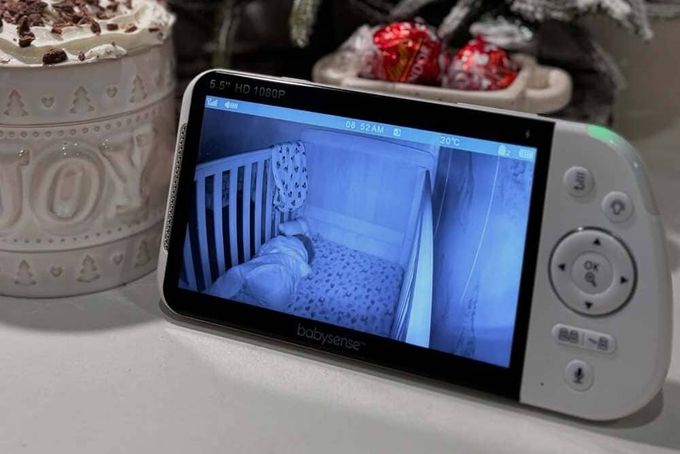
The MaxView Pro goes a step further with a 5.5-inch Full HD 1080p screen, which makes a noticeable difference when you're checking on your baby in the dark and want to see every small detail clearly.
- Prisma: 5" screen, 720p resolution.
- MaxView Pro: 5.5" screen, 1080p Full HD resolution.
Battery capacity
Both monitors offer up to 20 hours in eco mode and 12 hours in regular mode, so the advertised battery life is the same. The difference is in what's powering that performance.
- Prisma: 4,000mAh battery.
- MaxView Pro: 5,000mAh battery, a useful buffer during longer or heavier monitoring sessions.
Price and value
If you're considering a two-camera setup, the Prisma with 2 cameras comes in at €159.99, while the MaxView Pro with 2 cameras is going for €229.99.
Picking the Right Babysense Prisma vs MaxView Monitor
Both the Prisma and the MaxView Pro are excellent monitors, and both give you the same secure, hack-proof connection that Babysense is known for.
The Prisma keeps things beautifully simple with its all-in-one nursery features, while the MaxView Pro gives you the most detailed, immersive viewing experience in the range. Whichever you go with, you're getting a monitor built to give you real peace of mind, every single night.
Whichever model you choose, the Babysense Video Monitor has you covered with secure, clear monitoring you can count on from day one.
FAQs
Is the Babysense Pro the same as the MaxView Pro?
Yes, they're the same device. The MaxView Pro was rebranded as the Babysense Pro, so if you've seen both names while researching, you're looking at the exact same monitor.
Which has better image quality, the Prisma or the MaxView Pro?
The MaxView Pro. It features a 1080p Full HD display on a 5.5-inch screen, compared to the Prisma's 720p on a 5-inch screen. The difference is most noticeable during nighttime monitoring when detail really matters.
Does the Prisma come with a sound machine built in?
Yes. The Prisma includes white noise and lullaby functions built into the camera unit, so you don't need a separate device in the nursery.
Can both monitors support more than one camera?
Yes. Both the Prisma and the MaxView Pro support up to four cameras, making them both suitable for growing families or multi-room setups.
Which monitor is better for split-screen viewing?
Both support split-screen viewing, but the MaxView Pro's larger 5.5-inch screen makes it more comfortable to view two rooms simultaneously. Neither monitor allows zooming while in split-screen mode.
Which is more affordable?
The Prisma is the more budget-friendly option. A two-camera Prisma bundle is priced at €159.99, compared to €189.99 for the MaxView Pro two-camera bundle.