Where to Put a Baby Monitor: Safe Placement and Wall-Mounting Guide
One of the most important questions a parent or caregiver can ask is where to put a baby monitor. Here's how to choose a safe spot, mount your camera, and adjust the setup as your baby grows.




Updated November 13, 2026
AI Summary


Where to put a baby monitor matters more than most parents expect. The right spot gives you a clear view of your baby, a steady signal, and a setup that adds no new hazard to the nursery. The wrong one can leave blind spots, dropped connections, or a cord within your baby's reach.
This guide covers what to consider before you choose a spot, the safest places to put your camera, and three places to avoid. You'll also get step-by-step wall-mounting instructions, including for Babysense cameras, and tips for adjusting the setup as your child grows from newborn to toddler.
Is There a Best Place to Put Your Baby Monitor?
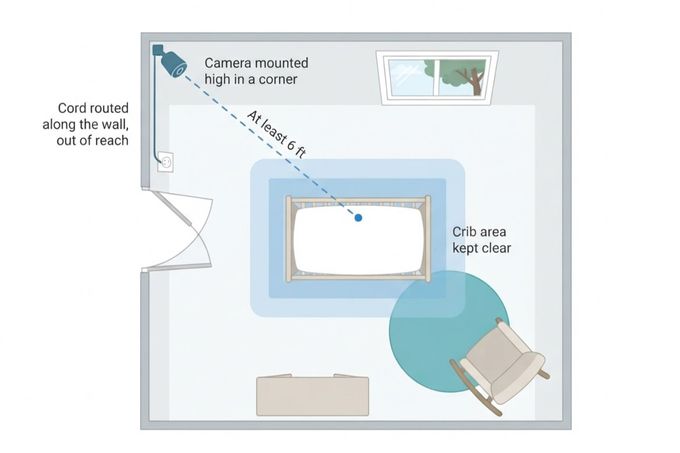
The best place for a baby monitor is high on a wall or shelf, with a clear view of the crib from at least 6 feet away. Keep the cord covered and out of your baby's reach. Nothing goes in or on the crib, including the camera.
Beyond that, the right spot depends on your room. The crib's position, the door, and the windows all affect which corner works best. Keep the camera pointed away from direct sunlight and strong lights. Avoid dusty areas, and choose a place where air can move freely, away from vents.
» For help with the rest of the room, check out our guide on how to set up a safe sleep nursery.
What to Consider When Placing Baby Monitors
Good baby monitor placement balances three things: a clear view, a strong signal, and a safe setup.
1. Viewing Angle
You need an unobstructed view of your baby while they sleep, so check that furniture or decor doesn't block the camera. The microphone matters too, so choose a spot close enough to pick up sounds from the crib.
From 6 feet away, tilt and zoom still give you a bird's-eye view of the room. Some cameras also let you add a wide-angle lens, which shows a broader picture and who is coming into your child's room.
An add-on camera for your monitor can give you a second angle, so you can see more of the room.
2. Signal and Range
To keep your signal strong, place the camera and parent unit away from thick walls, metal objects, and electronics such as microwaves and Wi-Fi routers, since they can weaken the connection [1].
3. Camera and Cord Safety
Your baby's safety comes first, and cords are the main risk. A monitor cord can tangle around your baby, and the U.S. Consumer Product Safety Commission warns that these cords have strangled children [2].
Tuck the cord out of reach, and clear any loose cords or wires from around the crib. Use only the power adapter that came with your monitor, and keep the cable away from spots where it gets bent or stepped on a lot [1].
Keep the camera itself out of reach, too, so your baby can't grab it, knock it off its mount, or turn it.
Where Should You Place a Baby Monitor?
The right spot gives you a clear view of your baby while keeping the camera and cord well out of reach. Here's where to place a baby monitor camera in a nursery, with two options that work well.
1. Mounted High in a Corner
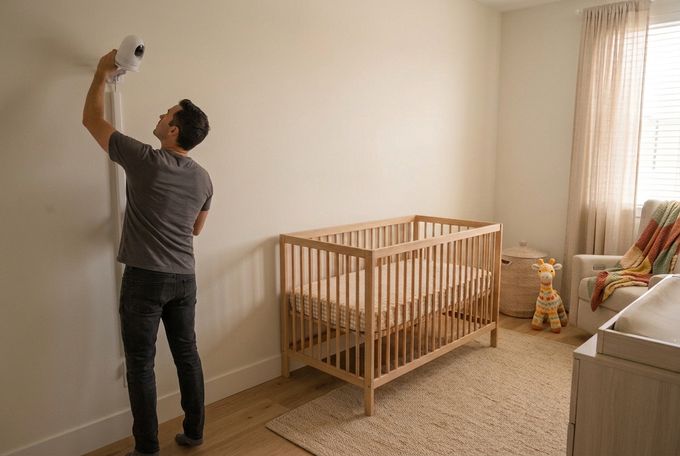
A wall mount keeps the camera high and out of reach. Check that the viewing angle is right, and that you can hear your baby clearly from where you mount it. The steps and a quick model guide are in the mounting section below.
2. On a Shelf
A shelf can work too, as long as it's at least 6 feet from the crib and high enough that toddlers and other children can't reach it. Make sure you still have a clear view of your baby. Cover the power cable with a cord cover so it isn't visible or within reach.
3 Places to Never Put a Baby Monitor
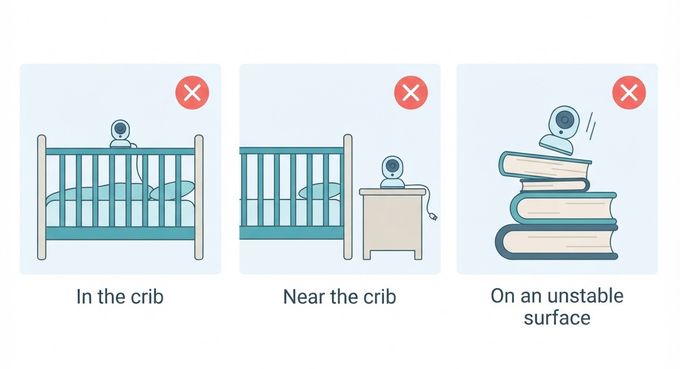
Wherever you set up, these three spots are off the table. Each one adds a risk without improving your view.
1. In the Crib
A camera in the crib might seem like a way to get a closer view and clearer sound. It isn't. The cord can tangle around your baby, the monitor can fall on them, and small parts can become a choking hazard [1]. That goes for premium and budget cameras alike.
Safe sleep guidance says to use a fitted sheet only and keep everything else out of the crib, so a camera is one more thing that doesn't belong there [3].
2. Near the Crib
A camera close to the crib doesn't give you a better angle. It does put the camera and its cord within your baby's reach, so keep both at least 6 feet away.
3. On an Unstable Surface
A monitor on a wobbly surface can fall, hurt someone, or break. Use the supplied mount or stand on a flat, stable surface. Whether you use a Babysense wall mount or a shelf, make sure the surface is clean, even, and flat.
How to Mount a Baby Monitor to the Wall (Including Babysense Cameras)
Wall mounting is straightforward. The exact hardware differs between models, so check the manual for your model first. Then follow these general steps:
- Choose your spot: Pick a place with a clear view of the crib and an outlet nearby.
- Mark the screw holes: Hold the mount up to the wall and mark where each screw will go.
- Drill and insert the plugs: Drill at your marks and push in the wall plugs.
- Fix the mount: Screw the bracket or mounting screw into place.
- Attach the camera: Clip, lock, or hang the camera as your manual shows.
- Cover the cable: Run the cord through a cord cover and keep it out of reach.
Mounting Options by Babysense Model
How to mount a Babysense camera depends on your model, but all six options below work on a tabletop or the wall, and each comes with its own mounting items.
Here's what's included with each Babysense camera mount setup, plus where to find your manual.
Model | Mounting Included | Where to Find the Manual |
|---|---|---|
Babysense PRO | Wall-mounting screw set | |
Babysense Prisma | Wall-mounting screw set | |
Babysense HD S2 | Wall-mounting screw set | |
Babysense V43 | Wall-mounting screw set | |
Babysense Touch | Mounting bracket, wall bracket, screws, and drywall anchors | |
Babysense FullPeek | Wall bracket and wall-mounting screw set |
Once your first camera is up, you can use the same steps to mount another in a second room. Our multi-room baby monitor tips cover the basics of setting it up.
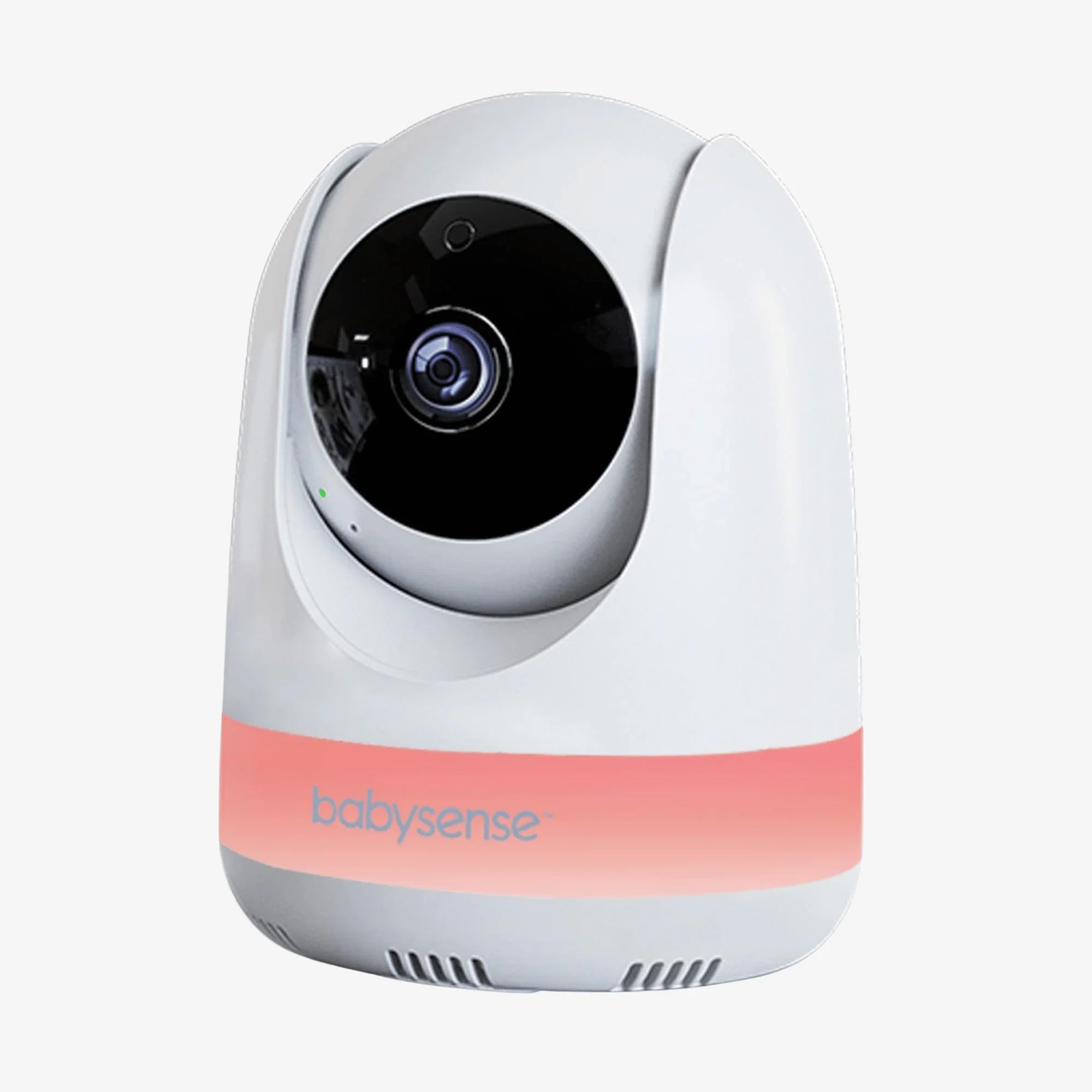
Need another camera for a second room?
Add up to four cameras and watch every room on one screen.
Changing the Baby Monitor Location as Your Child Gets Older
Your setup needs small updates as your baby grows, moves more, and eventually leaves the crib. Check the angle, and how far your baby can reach, at each stage.
For Newborns
Angle the camera down so your baby's whole sleep space is in view. The American Academy of Pediatrics recommends sharing a room with your baby for at least the first 6 months [3]. You may not set up the camera until your baby sleeps in their own room.
For Older Babies
By about 9 months, babies typically sit without support [4], and by their first birthday they're pulling up to stand [5]. At those stages, your baby can reach higher and see more of the room. Check that the camera and its cord are still well out of reach, even when your baby stands in the crib, and that the view still covers the whole crib.
For Toddlers
Toddlers move around more, pull on anything they can reach, and need just as much supervision as newborns. Tilt the camera a bit lower so you can see the room and what your toddler is up to, including the floor.
Once your toddler can climb out of the crib, it may be time to move to a bed [6]. When that happens, adjust the camera so it covers the bed and the floor around it, and re-check the view any time you move furniture.
» Unsure whether you still need a monitor? Our guide on when to stop using a baby monitor can help you decide.
A Safer Nursery Starts With Smart Monitor Placement
Where you put your baby monitor shapes how well it works every day. A camera that sits high, keeps a clear view of the crib, and stays out of your baby's reach lets you check in without disturbing your little one. As your child grows, small tweaks to the angle and spot keep that setup working.
If you're choosing a monitor for your own nursery, Babysense has options for most homes, from app-connected cameras to local non-Wi-Fi monitors. Check on your baby from your phone with the Babysense FullPeek Wi-Fi camera, or watch two rooms at once on a split-screen monitor like the Babysense PRO.
See Two Rooms on One Screen
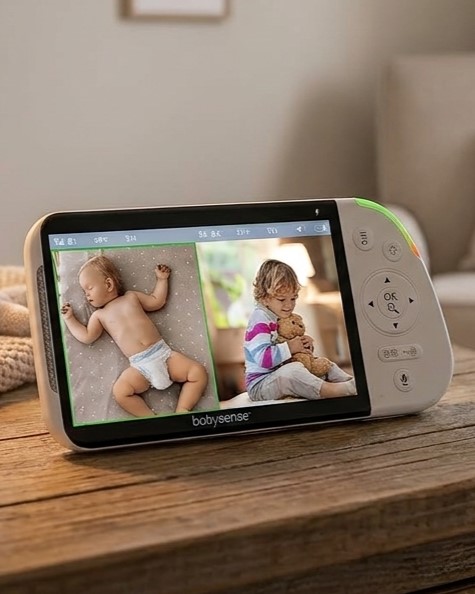
Babysense PRO pairs two pan-and-tilt cameras with a 5.5-inch split-screen parent unit, with no Wi-Fi needed.
References
1. Babysense. (n.d.). HD S2 video baby monitor: User manual [PDF]. Babysense Help Center. https://helpcenter.babysensemonitors.com/hc/article_attachments/21027061913884
2. U.S. Consumer Product Safety Commission. (2011, February 15). Baby monitor cords have strangled children. https://www.cpsc.gov/Newsroom/Video/Baby-Monitor-Cords-Have-Strangled-Children
3. Moon, R. Y. (2026, September 11). How to keep your sleeping baby safe: AAP policy explained. HealthyChildren.org, American Academy of Pediatrics. https://www.healthychildren.org/English/ages-stages/baby/sleep/Pages/a-parents-guide-to-safe-sleep.aspx
4. Centers for Disease Control and Prevention. (2026, May 16). Milestones by 9 months. https://www.cdc.gov/act-early/milestones/9-months.html
5. Centers for Disease Control and Prevention. (2026, May 16). Milestones by 1 year. https://www.cdc.gov/act-early/milestones/1-year.html
6. Moon, R. Y. (2022, August 1). Big kid beds: When to switch from a crib. HealthyChildren.org, American Academy of Pediatrics. https://www.healthychildren.org/English/healthy-living/sleep/Pages/Big-Kid-Beds-When-To-Make-the-Switch.aspx
FAQs
How can I keep baby monitor cords away from the crib?
Run it along the wall inside a cord cover, and use cord sleeves or outlet covers where you can. Never hang a cord on the crib or leave loose cords near it.
What monitor position provides the best overview of a baby's room?
Mount the camera high, with a clear view of the crib from at least 6 feet away. For a newborn, angle it down so you can see the whole sleep space. As your child grows, tilt the camera lower to see the floor and more of the room. If your baby naps in another room, the same rules apply: out of reach, cord covered.
How far can a baby monitor reach?
It depends on the monitor type and what's between the camera and the parent unit. Obstacles such as walls shorten the range, while open space gives you the most. Babysense non-Wi-Fi monitors, for example, reach up to 1,000 feet in open space. Check your model's spec page for its rated range.
Do I need to buy a mount or stand separately?
It depends on the monitor, so check the box contents and manual before you buy extras. Many brands include a basic mount or stand, while others sell them separately. With Babysense, most cameras can sit on a tabletop or mount on the wall, with the wall-mounting items included. Every parent unit also has a built-in stand at the back, so you don't need a separate Babysense monitor stand.