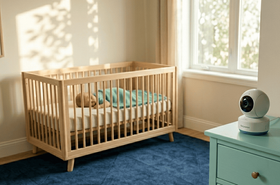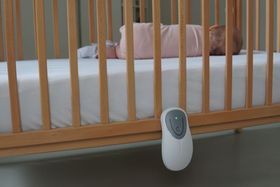


8 Best Baby Monitors for Travel, Hotels, and Airbnbs
Eight travel friendly baby monitors covering non-Wi-Fi, Wi-Fi, and hybrid options, helping parents find a portable, reliable monitor that works in hotels, Airbnbs, and anywhere else the family lands.






Updated August 25, 2026
AI Summary


Travelling with a baby is already a lot to manage. The last thing you need is a monitor that won't connect to the hotel Wi-Fi, drains flat before midnight, or takes twenty minutes to set up in an unfamiliar room.
The good news is that the right travel baby monitor makes all of that much simpler. In this post, we cover what to look for, how to set up the monitor safely in a temporary space, and the best options worth packing.
Overview of the 8 Best Travel Baby Monitors
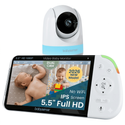
Babysense PRO
The Babysense PRO is a strong pick for parents who want Full HD video and split-screen capability on a completely offline, hotel-ready connection.
Babysense HD S2
The Babysense HD S2 gives you clear HD video, solid battery life, and reliable non-Wi-Fi performance in a straightforward package that works wherever you are.
Babysense Prisma, 2 Cameras
The Babysense Prisma brings a sound machine and adjustable night light alongside non-Wi-Fi video monitoring, helping parents maintain sleep routines away from home.
Show more
Why Non-Wi-Fi Monitors Work Better for Travel
If you've ever tried connecting a Wi-Fi baby monitor in a hotel, you've probably run into a captive portal. That's the login page that appears before you can access the internet, asking for your room number or agreement to the hotel's terms.
Most Wi-Fi baby monitors can't handle these browser-based login systems because they don't have screens or browsers. The result is a monitor that simply won't connect.
Non-Wi-Fi monitors sidestep this entirely. They use direct radio frequency transmission between the camera and the parent unit, so there's no network to join, no login page to navigate, and no internet required.
There's a privacy advantage too. Hotel and short-stay Wi-Fi networks are shared environments, and Wi-Fi monitors that route your baby's feed through a cloud server are more exposed on unfamiliar networks. A closed-loop non-Wi-Fi monitor is safe as it keeps your feed entirely local.
How Hotel Walls Affect Signal
Thick concrete walls, steel fire doors, and multiple floors can reduce a monitor's signal range significantly. Manufacturers typically advertise range in open-air conditions, but real indoor performance in a hotel can drop by more than half, depending on the building's construction.
To get the best signal in a hotel room:
Keep both units higher off the ground on a desk or dresser.
Reduce the number of walls between the camera and the parent unit where possible.
Keep both units away from TVs, mini-fridges, microwaves, and large mirrors.
FHSS and DECT technologies help by hopping to clearer frequencies when interference increases, making them more reliable in busy wireless environments than fixed-frequency systems.
Safe Temporary Camera Placement
Setting up in an unfamiliar room takes a bit more thought than setting up in your home nursery. Here's what to keep in mind:
- Place the camera on a stable, flat surface like a heavy dresser, desk, or nightstand.
- Never stack it on pillows, luggage, or anything that could shift or fall. Keep all cords completely out of your baby's reach and at least one metre from the sleep space.
- Battery-powered monitors are useful for travel because they need fewer cables and reduce the risk of cord hazards in unfamiliar rooms.
To avoid damaging the property:
- Use removable adhesive hooks, freestanding tripods, or the monitor's own tabletop stand.
- Don't attach anything to sprinkler pipes, smoke detectors, or hotel electronics.
- Avoid strong tape that could damage paint or wallpaper.
- Point the camera only toward your baby's sleep area, and avoid capturing spaces beyond your rented room, especially in shared accommodation.
What to Look for in a Travel Baby Monitor
Here's what matters most when you're choosing a monitor for travel:
- Non-Wi-Fi or hybrid connectivity: Non-Wi-Fi monitors work without internet access, making them more reliable in hotels and Airbnbs with captive portals or shared networks.
- Long battery life: Wall outlets in hotels are often inconveniently placed. A monitor with a strong internal battery gives you much more flexibility in where you set up.
- USB or power bank compatibility: Being able to run the monitor from a power bank is genuinely useful during road trips, flights, or rooms with limited outlets.
- Compact and lightweight design: The less space it takes up in your bag, the better. Look for monitors with small camera footprints and parent units that won't weigh down your luggage.
- Signal loss alerts: In unfamiliar buildings with unpredictable construction, knowing immediately if the signal drops is important.
- Simple setup: You don't want to spend twenty minutes pairing devices in a hotel room. The faster it's up and running, the better.
The 8 Best Travel Baby Monitors
1

Babysense PRO
Full HD monitoring that works the moment you turn it on, no hotel Wi-Fi needed.
Connectivity
Non-Wi-Fi FHSS
Display
5.5-inch 1080p Full HD
Range
Up to 1,000 ft
Why we chose it
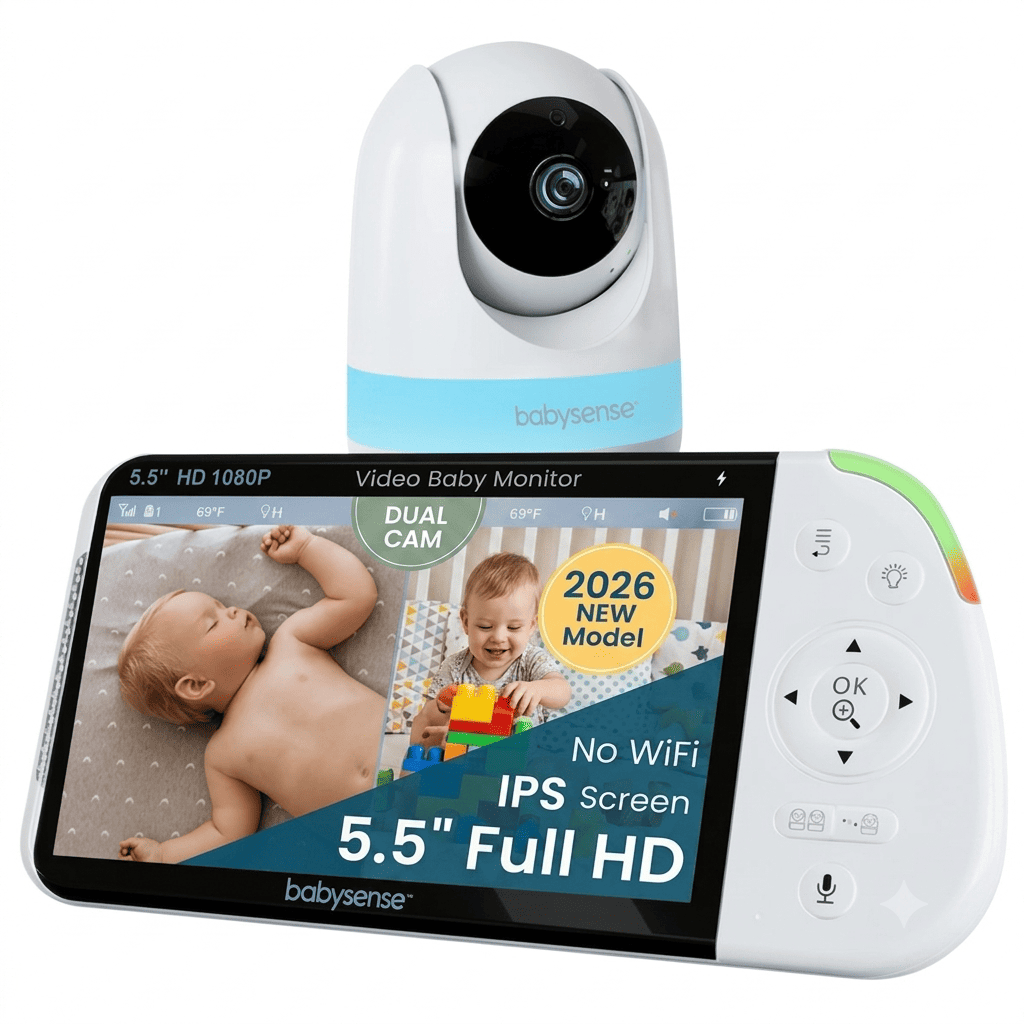
The Babysense PRO is one of the most capable non-WiFi monitors you can take on the road. The 5.5-inch Full HD display gives you a sharp, detailed picture that holds up well even in split-screen mode, which is useful if you're traveling with two children.
The closed-loop FHSS connection means you never need to interact with hotel Wi-Fi, captive portals, or shared networks. The 5000mAh battery gives you up to 20 hours in ECO mode, so you're not scrambling for outlets in awkward hotel room layouts.
Built-in white noise and lullabies help maintain familiar sleep routines in an unfamiliar environment, and the remote pan, tilt, and zoom mean you can adjust the camera angle from your bed without getting up.
Pros and cons
Works without hotel Wi-Fi; no captive portal issues
5.5-inch Full HD display, clear in split-screen mode
Up to 20 hours of battery in ECO mode
Built in white noise, lullabies, and two-way audio
Remote pan, tilt, and 2x and 4x zoom
Larger parent units take up more bag space than compact travel monitors
No remote access if you need to check in from outside the room
2
Babysense HD S2
Reliable, private, and straightforward wherever your family ends up.
Connectivity
Non-Wi-Fi FHSS
Display
5-inch 720p HD
Range
Up to 1, 000 ft
Why we chose it
The Babysense HD S2 is a dependable travel companion that doesn't overcomplicate things.
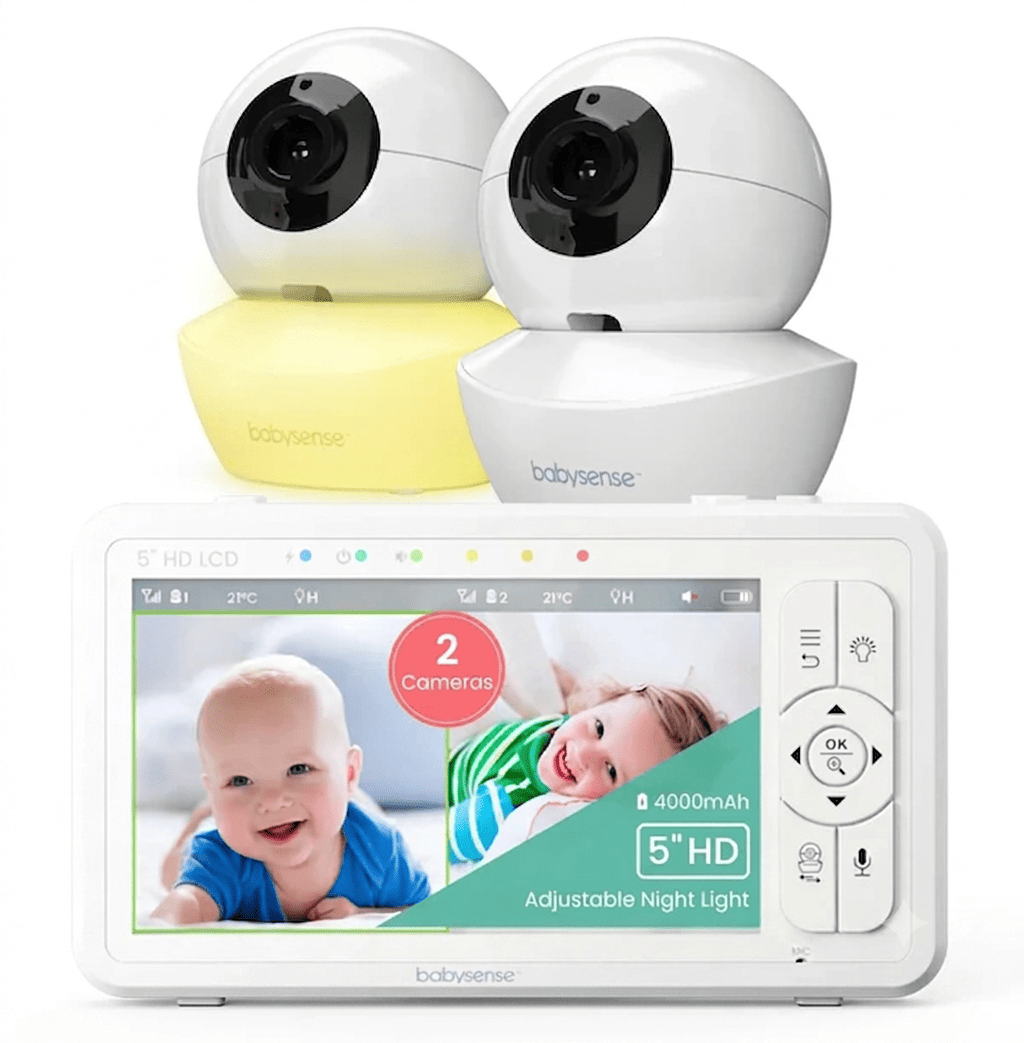
The 5-inch HD display gives you a clear view of your baby, the FHSS connection works independently of any network, and the 4000mAh battery covers up to 20 hours in ECO mode. Remote 360-degree pan, tilt, and 2x and 4x zoom mean you can position the camera across the room and still see exactly what you need without going close to the sleep space.
The adjustable night light and built-in sound machine help settle babies into unfamiliar environments, and the whole system pairs automatically with no setup required beyond turning it on.
Pros and cons
Works without Wi-Fi, no hotel network dependency
5-inch HD display with 360-degree pan, tilt, and zoom
Up to 20 hours of battery in ECO mode
Built-in sound machine and adjustable night light
Simple automatic pairing, no setup required
720p is less sharp than Full HD when zooming in from a distance
No remote access outside the room
3
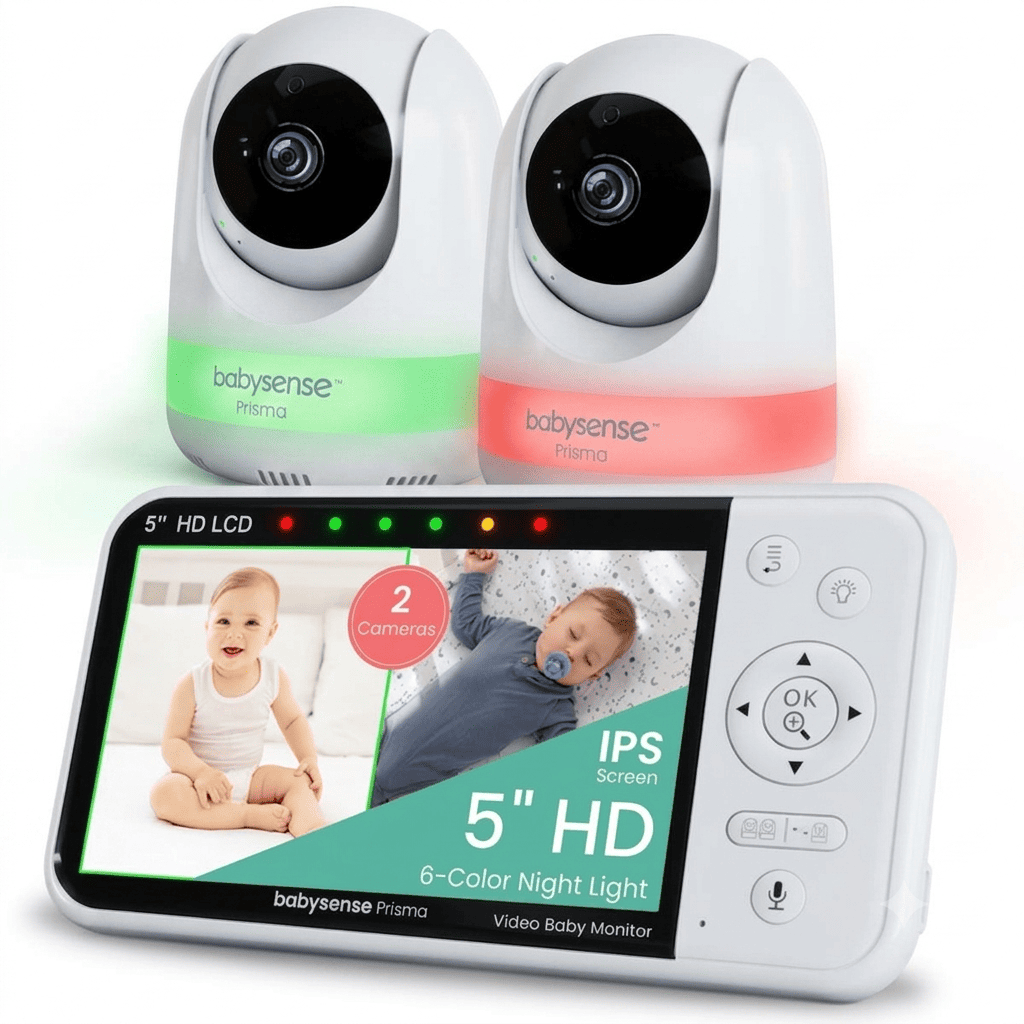
Babysense Prisma, 2 Cameras
Familiar sounds and lighting in an unfamiliar room.
Connectivity
Non-Wi-Fi FHSS
Display
5-inch 720p HD
Range
Up to 1,000 ft
Why we chose it
One of the harder parts of traveling with a baby is disrupted sleep routines. The Babysense Prisma helps with that. Beyond the standard video monitoring, it has a six-color RGB night light and a built-in sound machine that you can control remotely from the parent unit.
If your baby is used to falling asleep with a specific light color or white noise at home, you can recreate that in a hotel room without packing separate devices.
The non-Wi-Fi FHSS connection means no captive portal headaches, and the 4000mAh battery runs up to 20 hours in ECO mode. Split-screen and PTZ camera support are included for families with more than one child to monitor.
Pros and cons
6-color RGB night light controllable remotely
Built-in sound machine helps maintain familiar sleep routines
No Wi-Fi needed; works in any location
Split-screen ready with PTZ camera support
Up to 20 hours of battery in ECO mode
The 720p display is less sharp than Full HD at zoom
Range up to 300 m open space, may reduce indoors in larger hotels
4
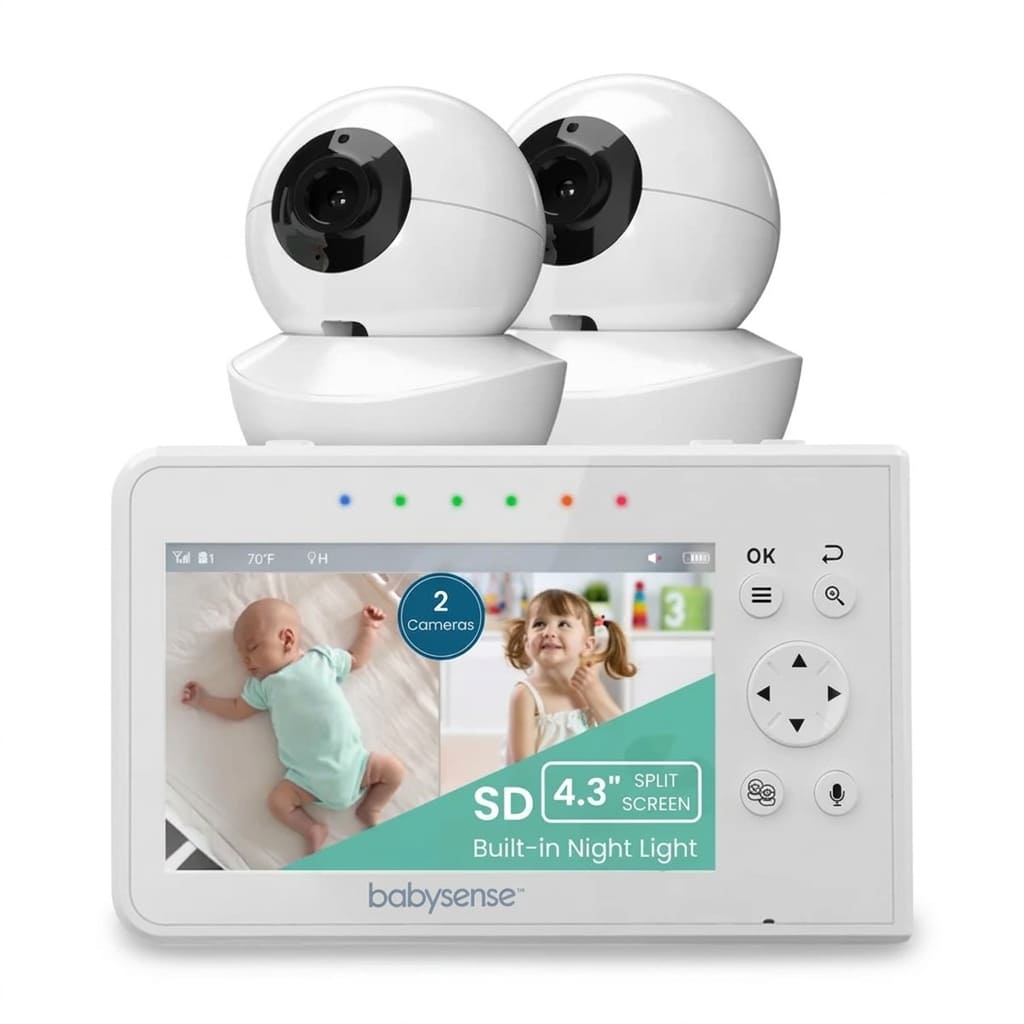
Babysense V43
Two cameras, split-screen, and no Wi-Fi, without the premium price tag
Connectivity
Non-Wi-Fi FHSS
Display
4.3-inch LCD
Range
Up to 1,000 ft
Why we chose it
If you're traveling with two children and want to keep an eye on both without spending a lot, the Babysense V43 is a practical option.
It comes with two PTZ cameras and split-screen monitoring out of the box, runs without Wi-Fi, and is compact enough to pack without taking up too much luggage space.
The 2100mAh battery gives you up to 10 hours in ECO mode, which covers most overnight stays when plugged in at the bedside. Two-way audio, white noise, and lullabies are all included, so you have the basics covered for keeping two children settled in an unfamiliar room.
Pros and cons
Two PTZ cameras and a split-screen are included out of the box
Compact enough for travel without taking up much space
No Wi-Fi needed, works anywhere
Two way audio, white noise, and lullabies included
Budget-friendly price point
The 4.3-inch screen is smaller than most competitors
Battery life of 6 hours on regular mode, shorter than premium options
5

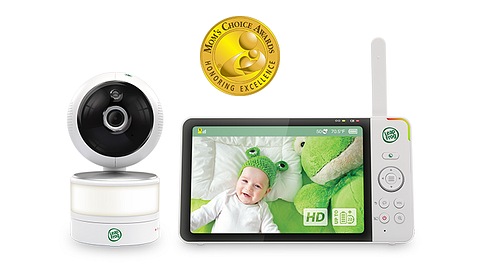
LeapFrog LF920HD
A 7-inch HD screen and wide-angle camera without the smart monitor price tag.
Connectivity
Non-Wi-Fi
Display
7-inch HD
Range
Up to 1,000 ft
Why we chose it
The LeapFrog LF920HD stands out for one simple reason: its 7-inch HD display is the largest screen in this roundup. For parents who find smaller screens hard to read in a dim hotel room, that extra size makes a real difference.
The wide-angle pan-and-tilt camera gives you good room coverage without needing to reposition the camera, and the built-in night light adds a practical touch for unfamiliar rooms.
It's made by VTech, which has a strong reputation for reliable baby monitors. Parent testers have praised its battery life, signal reliability, and image quality for the price.
Pros and cons
7-inch HD display, the largest screen in this roundup
Wide-angle pan-and-tilt camera
Works without Wi-Fi; no captive portal issues
Some reports of occasional disconnections requiring a camera restart
Larger screen means a bulkier parent unit to pack
6

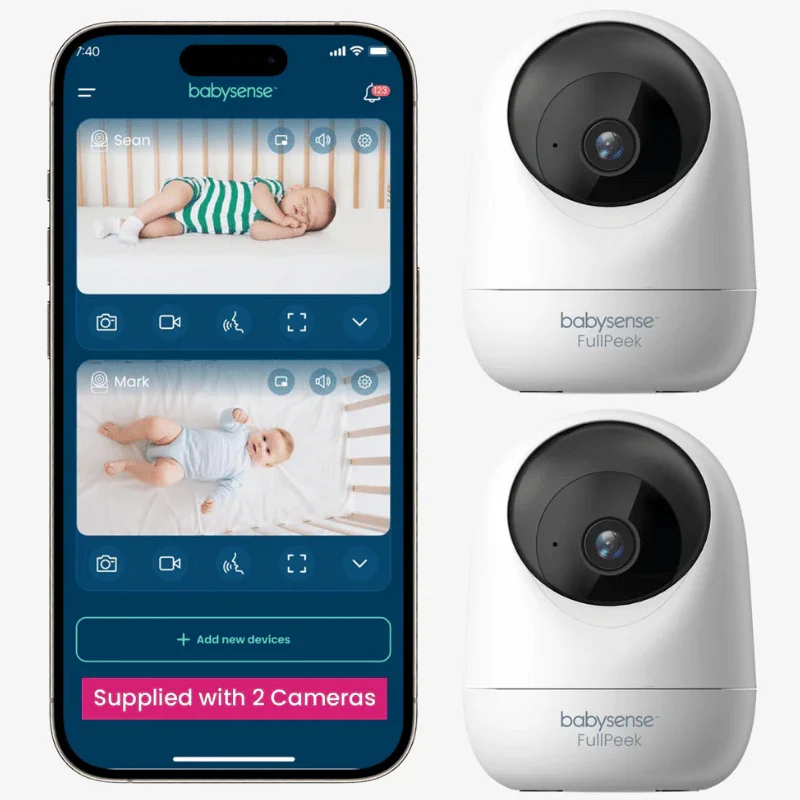
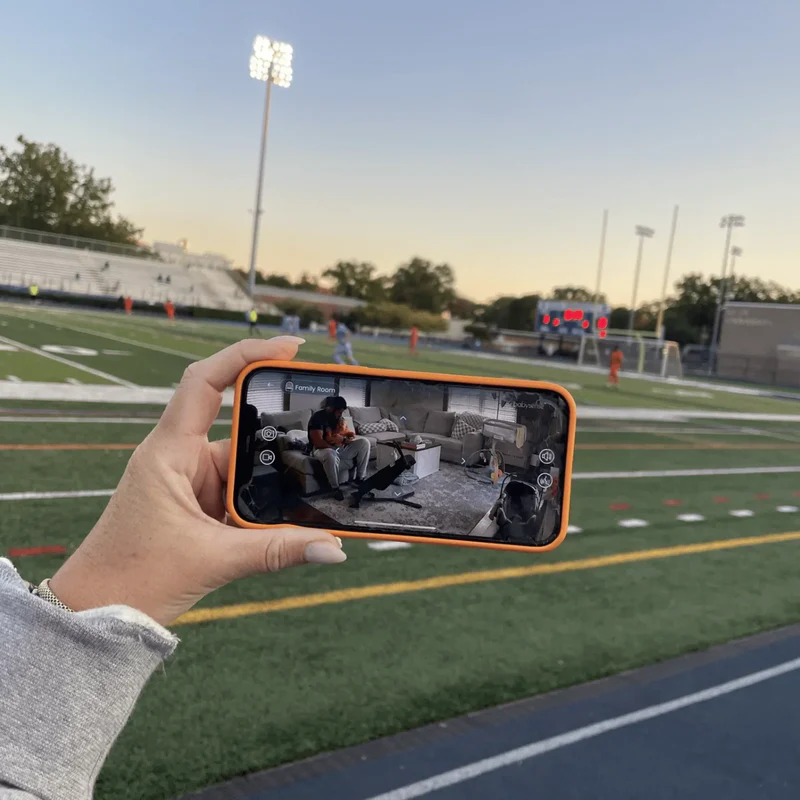
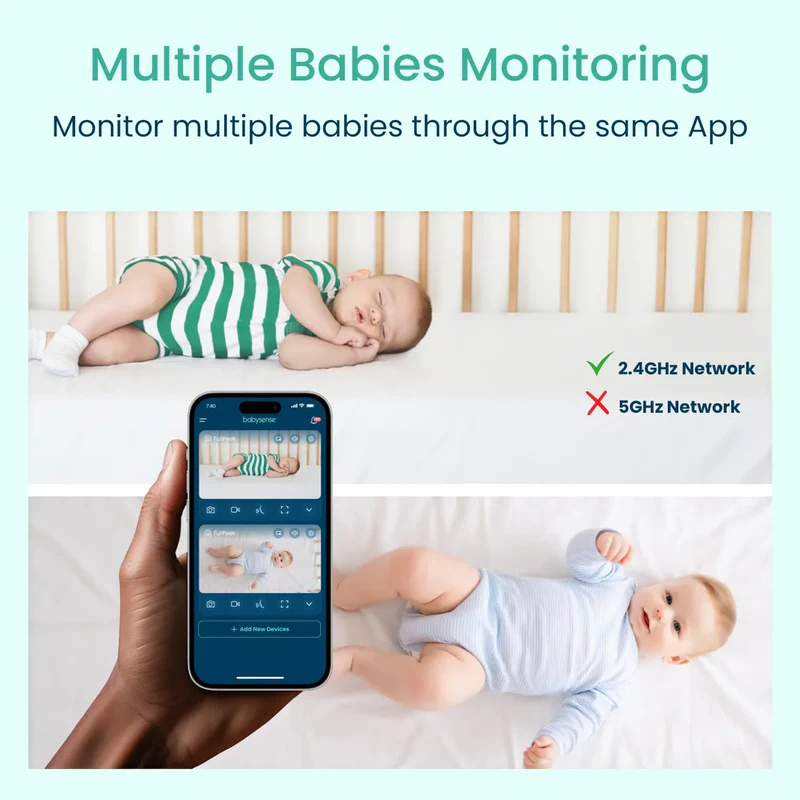
Babysense 2Peek Video Baby Monitor
Stay connected to your baby from anywhere, with auto-tracking and instant alerts.
Connectivity
WiFi
Display
App based 3MP Super HD
Range
Unlimited with internet
Why we chose it
If you're travelling and want to step out of the room while your baby sleeps, the 2Peek gives you that flexibility. The 3MP Super HD camera delivers sharp video with clear night vision up to 10 metres, and intelligent auto-tracking follows your baby's movements so you don't miss anything, even if they shift around.
Motion and sound alerts go straight to your phone so you're notified immediately, and two-way audio lets you respond without going back to the room. Secure app sharing means you can give a trusted person controlled access to the feed, too, which is useful if you're travelling with family.
Pros and cons
3MP Super HD camera with clear night vision up to 10 metres
Intelligent auto-tracking follows your baby's movement
Instant motion and sound alerts to your phone
Two-way audio and secure app sharing
Remote viewing from anywhere with internet access
Requires a stable WiFi connection, not ideal for hotels with captive portals
No dedicated parent unit, relies on your phone or tablet
6

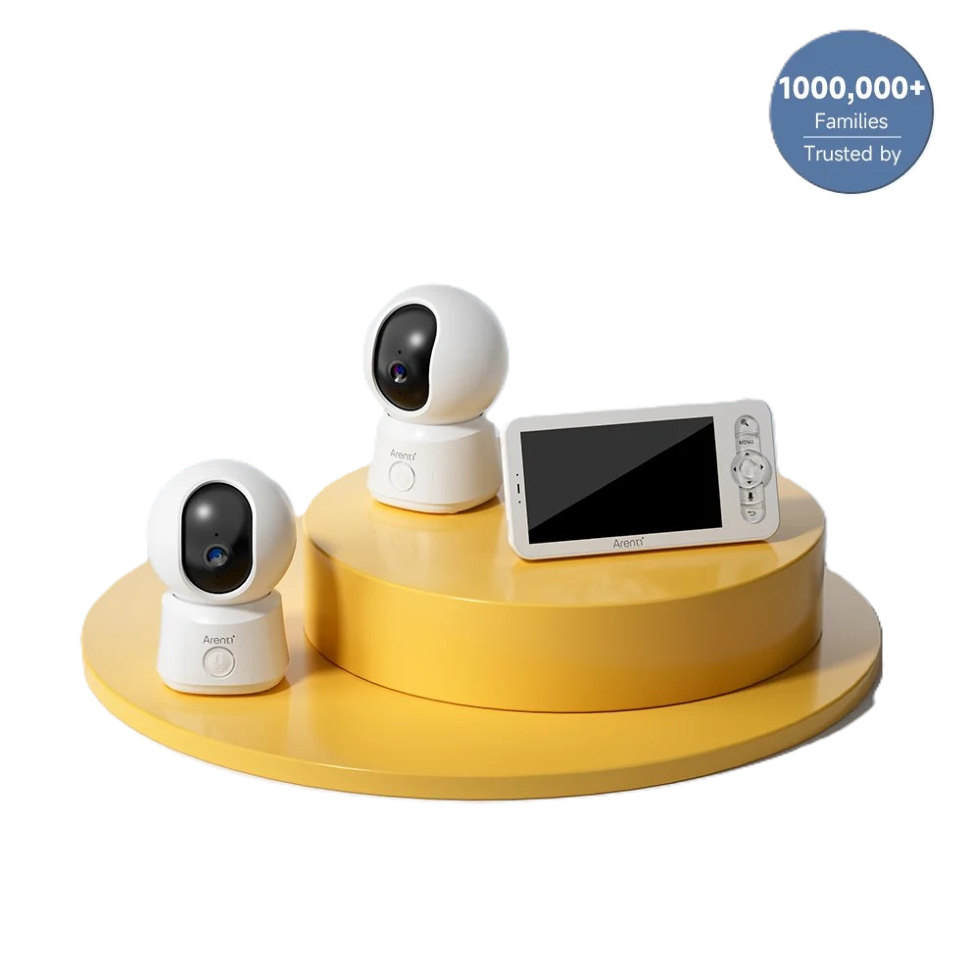
Arenti AInanny B2
Switch between local and remote monitoring depending on where you are.
Connectivity
Non-Wi-Fi and Wi-Fi hybrid
Display
5-inch 1080p
Range
Local and unlimited remote
Why we chose it
The Arenti AInanny B2 is one of the few monitors that genuinely does both.
In local mode, it connects directly between the camera and the 5-inch parent unit without needing any network, which is ideal for hotels where Wi-Fi is unreliable or gated behind a captive portal. When you're staying somewhere with good Wi-Fi, you can switch to app mode for remote viewing and notifications.
For parents who travel frequently between different types of accommodation, that flexibility is genuinely useful.
Pros and cons
Works in both local non-Wi-Fi and app-based Wi-Fi modes
Ideal for varying accommodation types
5-inch 1080p display on the parent unit
Switching between local and Wi-Fi modes requires more careful setup
Parent unit is larger than non-hybrid travel monitors
7

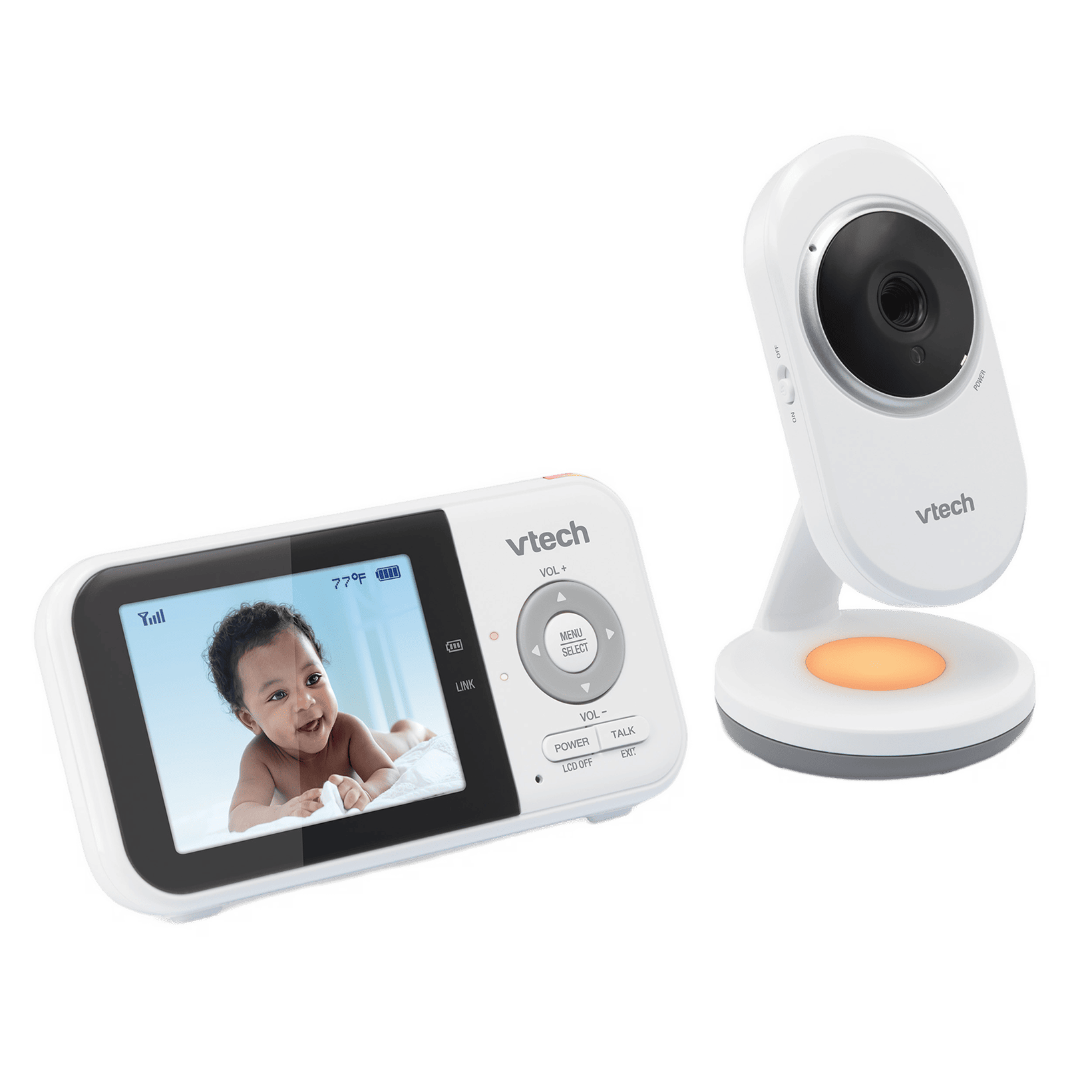
VTech VM3254
Small, simple, and ready to go in seconds.
Connectivity
Non-Wi-Fi
Display
2.8-inch 270p
Range
Up to 1,000 ft
Why we chose it
If you want a monitor that takes up almost no space in your bag and works immediately without any setup, the VTech VM3254 is about as simple as it gets.
The 2.8-inch parent unit is one of the most compact in this roundup. The camera is lightweight and easy to position on a dresser or nightstand. It also connects automatically when both units are powered on. VOX mode keeps the screen dark until your baby makes a sound, which is particularly useful when you're sharing a hotel room and don't want a glowing screen disturbing anyone.
Up to 19 hours of battery life on video mode means it handles most overnight stays without needing a charge.
Pros and cons
One of the most compact and lightweight monitors available
Up to 19 hours of battery on video mode
VOX mode useful for shared hotel rooms
The 2.8-inch screen is small, and fine details can be hard to see
270p resolution, lower than HD models
Deciding on the Right Travel Baby Monitor for Your Family
The best travel monitor really comes down to where you're going and what you need it to do.
If you're heading to hotels or Airbnbs where Wi-Fi is unpredictable, a non-Wi-Fi monitor like the Babysense PRO or HD S2 is your most reliable option. They work the moment you turn them on, no network needed. If you're travelling with two children, the Babysense V43 or Prisma gives you split-screen and sleep routine support in one compact package.
If you need to step out and check in remotely, the 2Peek or the Arenti AInanny B2 gives you that flexibility.
Whatever you pack, keep your camera placement safe, secure all cords well away from your baby's sleep space, and remember that a monitor is a helpful tool alongside safe sleep practices, not a replacement for them [1].
References
Primary care in Rochester and Kasson. (n.d.). Primary Care in Rochester and Kasson. https://communityhealth.mayoclinic.org/featured-stories/sids-baby-monitors
FAQs
Why won't my Wi-Fi baby monitor connect in a hotel?
Most hotels use captive portals, login pages that require a room number or browser authentication before granting internet access. WiFi baby monitors can't navigate these because they don't have screens or browsers. A non-WiFi monitor avoids this problem entirely by not needing internet access at all.
Can I use a non-Wi-Fi monitor in an Airbnb?
Yes, and it's often the better choice. Non-WiFi monitors create a direct connection between the camera and parent unit using radio frequency technology. They don't need to join the property's network, so connection is instant and reliable regardless of the WiFi setup.
How do I get the best signal in a hotel room?
Place both units as high as possible, on a desk or dresser rather than the floor. Keep them away from TVs, microwaves, mini-fridges, and large mirrors. Reduce the number of walls between the camera and parent unit where you can. If signal drops, try moving the parent unit closer to the camera or re-pairing the devices.
Is it safe to point a camera at my baby in a shared Airbnb?
Point the camera only at your baby's sleep area and avoid capturing any shared spaces or areas beyond your rented room. Always remove or cover the camera when not in use, and never record areas that guests would reasonably expect to be private.
How do I manage screen brightness in a shared hotel room?
Dim the parent unit screen to the lowest setting, or use VOX mode so the screen only activates when your baby makes a sound. This prevents the screen glow from disturbing your baby or other people in the room, and it also extends battery life overnight.
What's the safest way to mount a camera in a hotel without damaging anything?
Use the monitor's own tabletop stand, a freestanding tripod, or removable adhesive hooks. Never use nails, screws, strong tape, or anything that could damage paint or wallpaper. Avoid attaching anything to sprinkler systems, smoke detectors, or hotel electronics.