
Skylight Calendar Review
Discover why structured routines are trending in 2026 and how the Skylight Calendar’s digital chore chart, color-coded scheduling, and star-points reward system help families stay organized. See our review plus top alternatives for keeping your household on track.


Published September 8, 2025
AI Summary


Skylight Calendar Review: The Digital Chore Planner Winning Over Parents in 2026
Updated August 8, 2025 • 8 min read
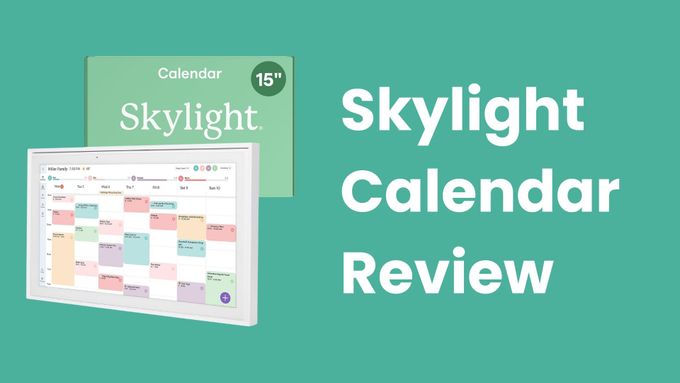
Parents are shifting from loose, gentle-only approaches toward clear routines that kids can see and follow every day. A New York Post report and social media buzz point to a surge in demand for the Skylight Calendar, a wall-mounted touchscreen that color-codes chores, meal plans, and events, plus a built-in star-points reward system. Recent sales momentum has been helped by a back-to-school $50 Amazon discount, which sparked fresh chatter and back-to-school preparedness on TikTok.
Why structured routines are trending
Predictable routines help children regulate behavior and reduce conflict at home. Pediatric guidance suggests that kids benefit from consistent schedules and clear expectations, which can ease transitions during the school year. See resources from the American Academy of Pediatrics and the CDC’s back-to-school hub on school readiness and routines.
Skylight Calendar features at a glance
Feature | Why it matters |
|---|---|
15 inch HD touchscreen | Large, always-on hub that everyone can read in a busy kitchen or hallway |
Color-coded people, events, and chores | Reduces confusion about who does what and when, improves accountability |
Star-points reward tracker | Makes chores feel game-like for younger kids, encourages follow-through |
Meal planning and lists | Centralizes dinner plans and grocery lists in the same visual workspace |
Calendar sync (Google, Apple, Outlook) | Pulls all events into one shared view so nothing gets missed |
Explore the product page to see current specs and software features: Skylight Calendar.
Hands-on impressions
What we like Editor’s pick
- Setup usually takes only a few minutes with QR onboarding
- Kids buy in fast when tapping avatars and earning stars
- Color coding limits repeat reminders and nagging
- Wall placement keeps routines visible at a glance
Where it could improve
- Requires constant power and thoughtful cable routing
- Price can feel premium outside of promo windows
- Wall mount works best when the home’s “command center” is agreed on
Tip: use a cord cover for a clean install in common areas.
Best alternatives for families
Tool | Best for | Key perks | Link |
|---|---|---|---|
Cozi Family Organizer | Families who prefer phones over a wall screen | Shared grocery lists, calendar, meal planner, free tier | cozi.com |
FamilyWall | Split households or co-parents | Calendar sharing, messaging, location check-ins | familywall.com |
BusyKid Visa Spend Card | Tweens and teens who want real-world allowance | Assign chores, pay out to a debit card, optional giving | busykid.com |
How to choose the right planner
- Screen real estate. Larger households benefit from a 15 inch display. Couples may do fine with a tablet or app.
- Sync compatibility. Confirm Google, Apple, and Outlook integration before you commit.
- Motivation design. Younger kids respond to star points. Teens prefer real-world allowance or privileges.
- Mounting location. Pick a central spot so everyone checks the board without prompts.
Prefer something tactile for toddlers. Pair your digital hub with a simple magnetic routine chart that lets kids move tokens when chores are done.
Bottom line
The Skylight Calendar brings chores, schedules, and meal plans into one visible command center. Interest has accelerated with seasonal promos and back-to-school planning, and social demos on #SkylightCalendar show why families are adopting it. If your home needs fewer “Did you feed the dog” reminders, a digital chore planner can pay off quickly.
FAQ
Does the Skylight Calendar require a subscription?
Core calendar features work out of the box. Optional premium features may require a subscription. Check the latest details on the official Skylight site.
Can I manage chores from my phone?
Yes. Parents can add or edit chores from the companion app, then kids can mark them complete on the wall screen.
Is there an official discount right now?
Deals change often. Look for limited-time promos on the Amazon listing or the Skylight store.
Sources and further reading: New York Post coverage, AAP on structure and routines, CDC on back-to-school readiness, TikTok hashtag, Cozi, FamilyWall, BusyKid.