7 Best Budget Baby Monitors Under $130: Feature Comparison
A parent-friendly breakdown of the 7 best budget baby monitors under $130, comparing video, audio, and hybrid app-based options. Find reliable monitoring that actually fits your home and routine, without overspending.






Published September 30, 2026
AI Summary


Baby expenses add up fast. With diapers, daycare, and everything in between, no parent wants to overspend on a monitor. But cheap can’t mean cutting corners when your child’s safety is on the line.
The good news is you don't need a spec sheet full of features you'll never touch to find a monitor you can actually trust. We've rounded up a list of the best inexpensive baby monitors for under $130 and offer advice on choosing the perfect model for your family’s needs.
» Get the lowdown on how video baby monitors work.
A Quick Look at the Top 7 Budget Baby Monitors
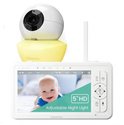
Babysense HD S2
Private, non-Wi-Fi HD video with pan, tilt, zoom, night vision, and room to expand to 4 cameras. Our top all-around budget pick for growing families.
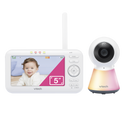
VTech VM5254
A large, easy-to-read 5-inch screen with no app required. Great for first-time parents and grandparents who just want simple, dependable video.
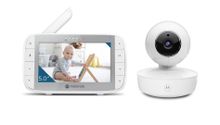
Motorola VM36XL
A battery-powered, cord-free camera with remote pan, tilt, and zoom controls. Ideal for travel, hotel stays, and nurseries with changing layouts.
Show more
How to Find the Right Type of Affordable Baby Monitor
Before zeroing in on specific models, it helps to step back and figure out the basics. Here’s what to consider:
Video or Audio-Only?
It really comes down to the problem you're trying to solve. Video monitors generally cost more, but they’re worth the extra expense when visual confirmation matters. They help answer questions like:
- Is the baby wide awake or just shifting?
- Did the pacifier fall out again?
- Is a toddler edging toward the crib rail?
Video pays off most in bigger homes, during naps, or when a babysitter or grandparent needs context without peeking through the door.
Audio-only monitors, on the other hand, serve a different function. They work well in smaller houses, when babies sleep nearby, or as a lightweight travel backup without the extra cost.
Non-Wi-Fi or Wi-Fi?
Non-Wi-Fi monitors connect directly, usually over 2.4 GHz Frequency-Hopping Spread Spectrum (FHSS). There are no routers, apps, or internet involved, just a simple, private link between the camera and parent unit. This makes them easier to set up, more secure, and more reliable when Wi-Fi strength is an issue.
Wi-Fi models trade some of that simplicity for reach. You can check in from anywhere since they connect through a phone app. This is useful for working parents, frequent travelers, or shared-custody households. Just keep in mind that your monitor will now be affected by router stability, app updates, and your password habits.
» Go deeper into the differences between Wi-Fi & Non-Wi-Fi monitors.
What Features Do You Need in a Budget Baby Monitor?
You shouldn’t be paying extra for “nice-to-have” features you can actually do without. These are the top baby monitor features parents need versus the ones you can do without.
Features Actually Worth Paying For
It’s worth spending more on:
- Clear display and night vision: You don’t need cinematic video, but you should be able to tell whether your child is sleeping, stirring, rolling, or standing.
- Audio functionalities: Two-way talk, good audio quality, and visual sound indicators are essential whenever you’re not in the room.
- Long battery life and range: A monitor should get through a full nap or evening routine, with enough range to cover how you actually move through the house.
- Flexible camera placement: Remote pan, tilt, and zoom give you a clear view while keeping cords a safe distance from the crib.
» Put your baby’s safety first with these guidelines on safe sleep & SIDS prevention.
Features You Can Skip
These features rarely justify pushing past a $130 budget:
- Music and light settings overload: They’re useful, but shouldn’t be a deciding factor, especially if it comes at the cost of a weaker screen or battery.
- Attention-heavy app features: Alerts, recording, and sharing are only worth paying for if you'll actually use them day to day. Otherwise, they can add more friction than function.
- Smart alerts promising the world: Breathing, motion, or cry alerts can offer more reassurance, but are never a substitute for safe sleep environments.
- Ultra-high video resolution: Aim for “sharp enough,” not “ultra-HD,” particularly if higher video quality causes a dip in battery life, range, or audio clarity.
Finding the Best Baby Monitor on a Budget (Without Buyer’s Remorse)
A few details get overlooked even though they matter just as much as the headline specs.
Weigh Your Upfront Costs With Long-Term Value
Sticker prices are often deceiving. What really matters is the real cost of ownership.
Then there’s another catch: Wi-Fi and app-based monitors sometimes lock core features behind a subscription. What looks like a lower price today can turn into a recurring cost tomorrow.
» Save money by opting for HSA/FSA-eligible monitors.
Factor in Camera Placement and Cord Routing
Parents might get caught up comparing screen sizes and app features, only to realize later that the outlet’s on the wrong wall, the cord is too close to the crib, or the camera angle only catches half the mattress.
The U.S. Consumer Product Safety Commission recommends keeping monitor cords and parts at least six feet from the crib [1]. A fixed camera works fine if it sits on a dresser across the room. However, if the only safe monitor placement is awkward, features like remote pan, tilt, and zoom start becoming much more important.
7 Best Budget Baby Monitors Under $130
1

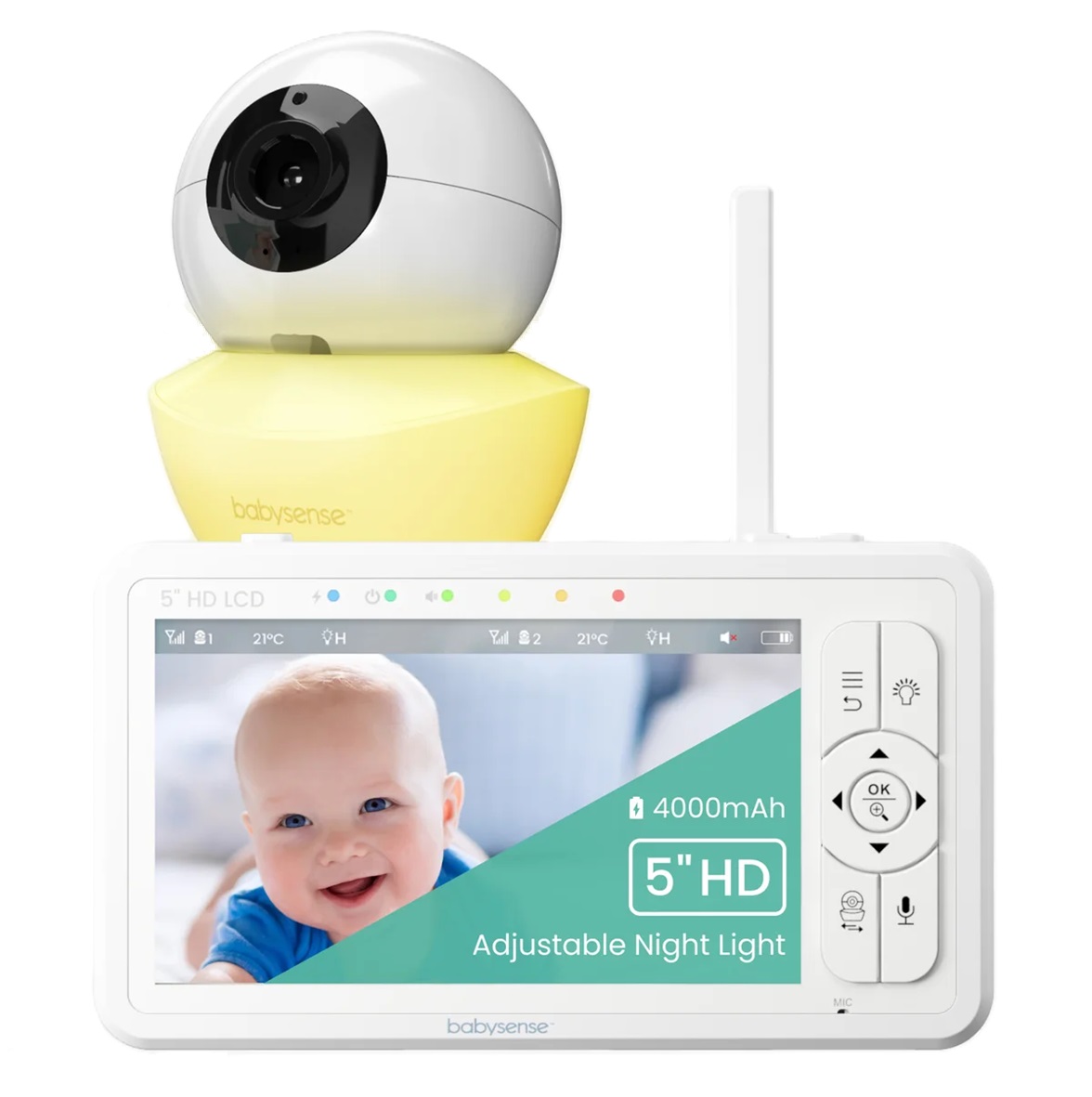
Babysense HD S2 Video Baby Monitor
An affordable all-rounder with private non-Wi-Fi monitoring.
Connection
Non-Wi-Fi (FHSS)
Display
5-inch 720p HD
Battery
Up to 20 hours
Range
Up to 1,000 ft
Why we chose it
The Babysense HD S2 is the strongest all-around pick when it comes to affordable baby monitors with cameras. One of the biggest advantages is that parents won’t have to rely on an app, account, subscription, or internet connection.
Coming in at under $130, the HD S2 offers features like pan, tilt, zoom, night vision, and temperature alerts. It covers all the essential things parents typically care about most without feeling bare-bones. The monitor can support up to four cameras, so you won’t need a full system rebuy as your family grows.
As an added bonus, there’s no learning curve beyond a screen and a few buttons, making it a winning choice for many grandparents.
Pros and cons
Uses a private local connection
Large display with split-screen viewing
Easy for any caregiver to use
Long-lasting 4000mAh battery
Expandable to more cameras
Doesn’t offer remote viewing
Some parents may prefer app notifications
2

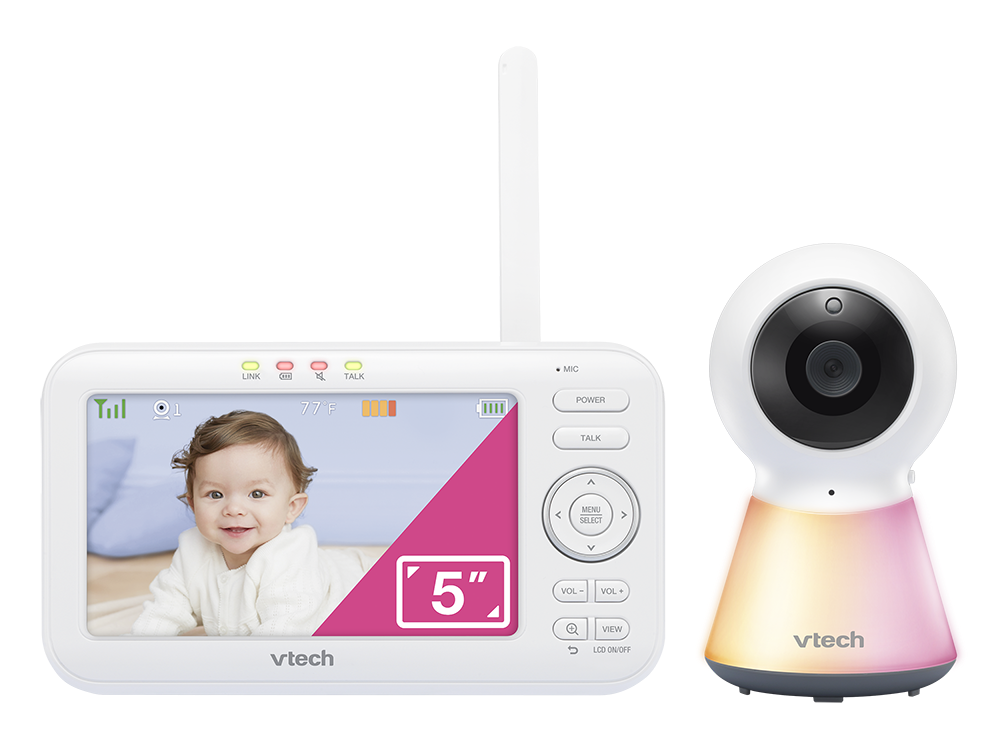
VTech VM5254 Video Baby Monitor
Large-screen video monitor with simplicity top of mind.
Connection
Non-Wi-Fi (FHSS)
Display
5-inch 270p color LCD
Battery
Around 12 hours
Range
Up to 1,000 ft
Why we chose it
This model keeps things simple, with no app and no fuss. The VTech VM5254 has a large screen, simple controls, and dependable video feed, which is perfect for first-time parents or anyone who’d rather use a dedicated parent unit than a smartphone. It suits apartments or homes with a stable crib location best, since the camera stays fixed rather than remotely adjustable.
Baby monitors with cameras under $100 can sometimes skimp on features found in more expensive models. Despite its simple design, the VM5254 still packs in automatic infrared night vision, a temperature sensor, two-way talk, and a 9-level sound indicator.
Pros and cons
Simple, no-app setup
Large, easy-to-read screen
Clear visual sound indicators
Built-in night light & lullabies
Lacks the flexibility of pan/tilt models
More basic screen resolution
3

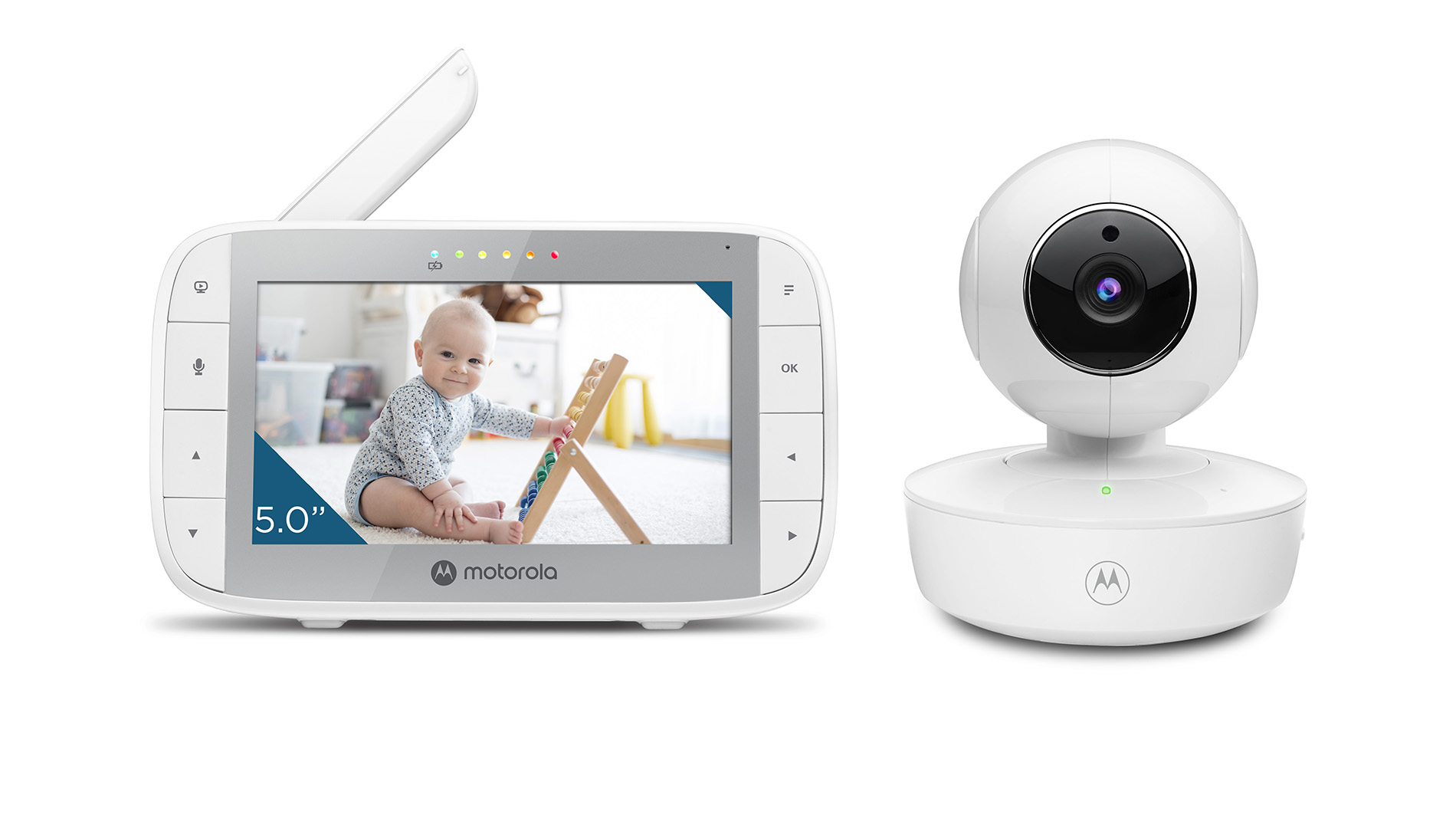
Motorola VM36XL Portable Video Baby Monitor
Battery-powered portability with remote camera controls.
Connection
Non-Wi-Fi (parent unit)
Display
5-inch color TFT (parent unit)
Battery
5 hours playback (parent unit) & 3 hours backup (camera)
Range
Up to 1,000 ft (parent unit)
Why we chose it
Coming in at under $60, the Motorola VM36XL is one of the best inexpensive baby monitors for travel. It features a portable camera that isn't tied to a wall outlet, setting it apart from many other cheaper models. This takes the hassle out of packing for holidays or overnight stays.
The battery-powered camera is also remotely adjustable, allowing you to pan, tilt, and zoom all from elsewhere in the house. Not every nursery is arranged like a showroom, so this flexibility comes in handy if your room layouts change often.
Pros and cons
Cord-free setup
Secure non-Wi-Fi monitoring
Remote pan, tilt, & zoom
Budget-friendly price
Camera battery needs monitoring with extended use
Limited smart features
4
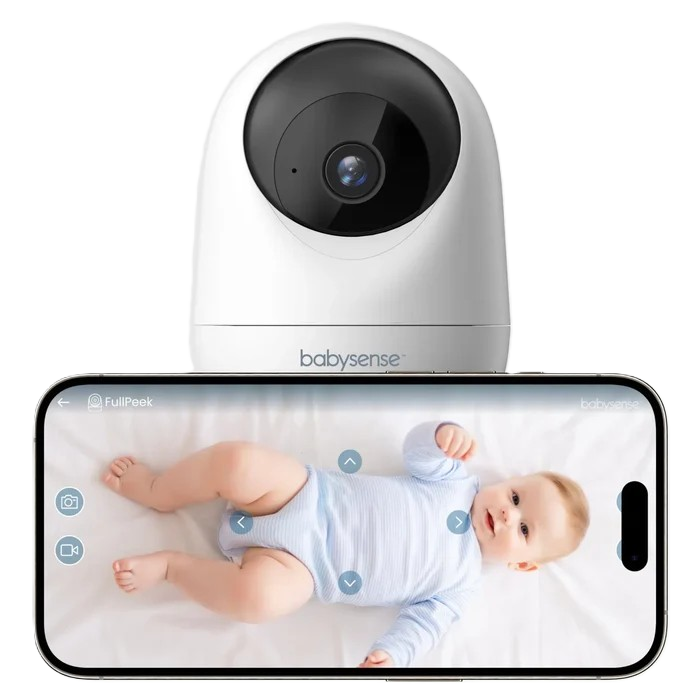
Babysense FullPeek
Check in on your baby from anywhere with smart Wi-Fi monitoring.
Connection
Wi-Fi
Display
App-based, 3MP Super HD
Battery
USB-powered camera
Range
Unlimited with Wi-Fi
Why we chose it
The Babysense FullPeek earns its spot as the best option for working parents because it offers the kind of flexibility that's hard to find at this price point. This Wi-Fi, app-based model turns your phone into the parent unit, so a quick glance between meetings or during a commute is all it takes.
It's also one of the few affordable models that feels genuinely feature-rich rather than stripped back. Auto-tracking, remote pan-and-tilt controls, clear 3MP Super HD video, and instant motion and sound alerts help parents stay connected without constantly hovering over the crib.
The option for continuous recording is another welcome bonus, giving extra peace of mind for anyone who wants a complete record of what's happening throughout the day.
Pros and cons
Auto-tracking follows movement
Full remote pan, tilt, & zoom
Instant sound & motion alerts
Continuous 24/7 nursery recording
No dedicated handheld viewer
Dependent on Wi-Fi stability
5

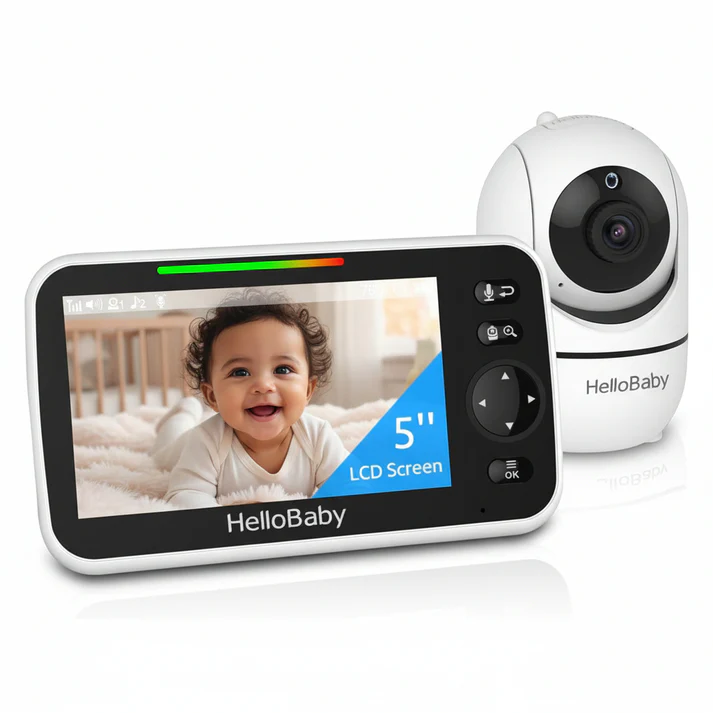
HelloBaby HB6550 Video Baby Monitor
Feature-rich monitor at a price that often beats the big-name brands.
Connection
Non-Wi-Fi (FHSS)
Display
5-inch color LCD
Battery
Up to 30 hours
Range
Up to 1,000 ft
Why we chose it
The HelloBaby HB6550 has plenty of premium-feeling features without the premium price tag, keeping it well within affordable baby monitor territory.
The remote pan-and-tilt camera genuinely helps when babies move around the crib, and VOX (sound-activated) mode prevents a glowing screen from lighting up the room all night. It also has infrared night vision, two-way audio, room temperature alerts, and lullabies.
On the whole, the HB6550 is a solid choice for practical daily use rather than advanced nursery management. It’ll also work well in houses with spotty Wi-Fi, for families wary of connected cameras, or for caregivers who just want physical controls.
Pros and cons
Wide camera movement
VOX mode preserves battery
Expandable up to 4 cameras
Non-Wi-Fi connectivity for privacy
Less-polished menu design
Stock availability can vary
6
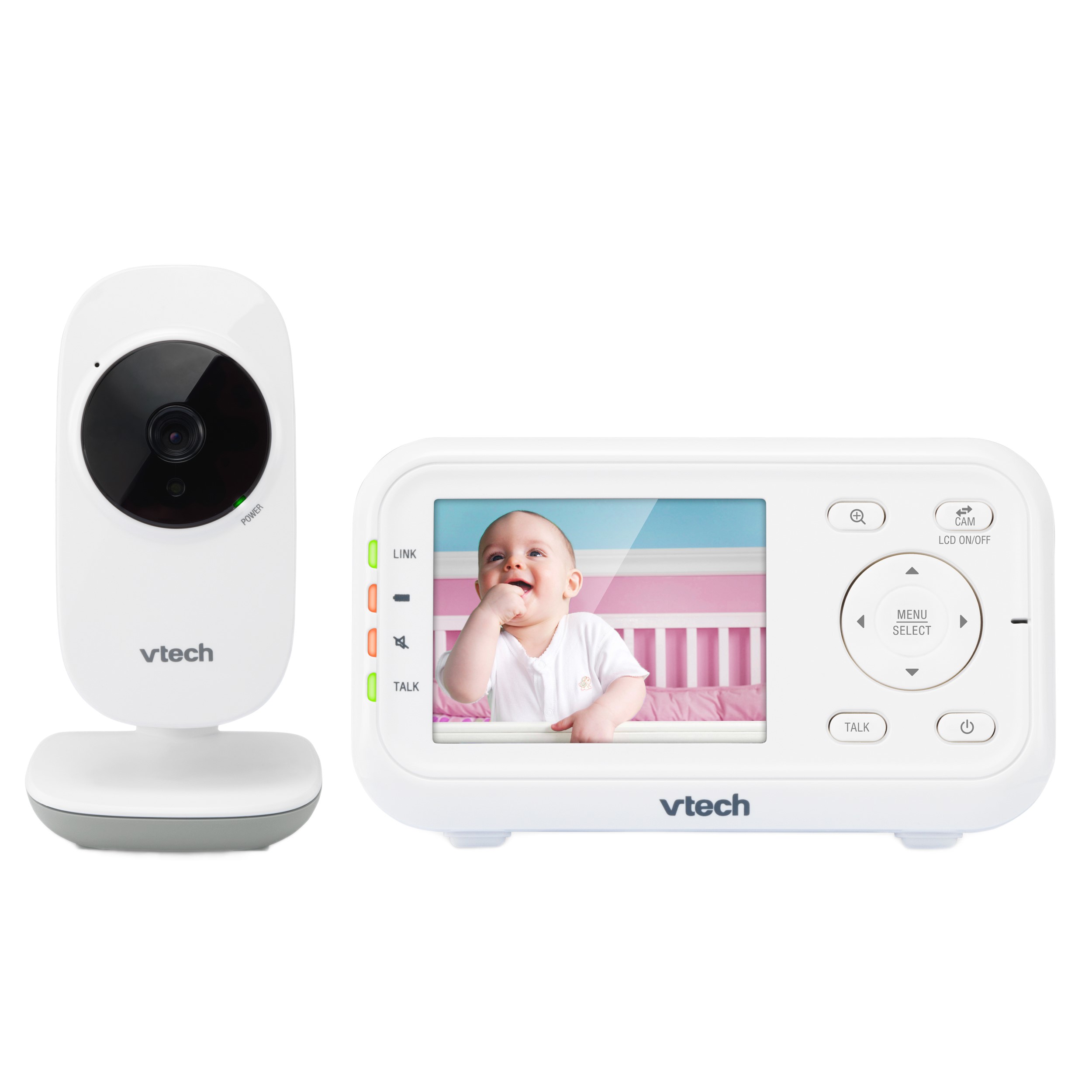
VTech VM3252 Video Baby Monitor
Affordable, secure video monitoring with all the essentials.
Connection
Non-Wi-Fi (FHSS)
Display
2.8-inch color LCD
Battery
Up to 9 hours
Range
Up to 1,000 ft
Why we chose it
Unlike our previous pick, not every family needs a feature-packed monitor. That’s exactly why the VTech VM3252 earned a spot here. It certainly nails all the basics, with clear video, an adjustable camera, automatic night vision, two-way talk, and a temperature sensor.
It skips fancy, battery-draining gimmicks and instead delivers private, dependable video monitoring without a steep learning curve or breaking the bank. First-time parents, grandparents, and smaller homes will get the most out of this one.
Pros and cons
Very affordable at under $60
Two-way audio talk-back intercom
Secure 1,000-ft range
Automatic infrared night vision
Smaller screen size
Shorter battery life
7
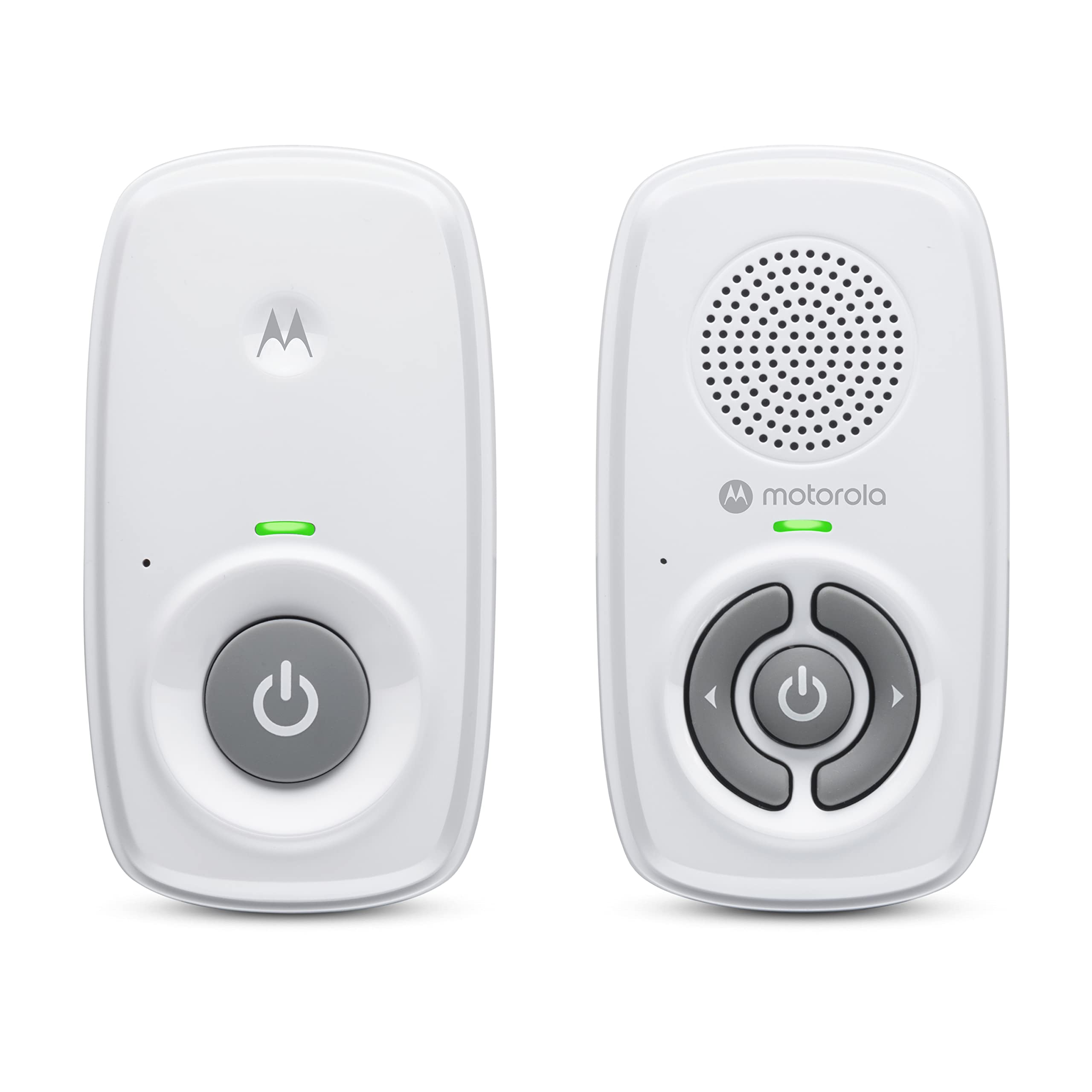
Motorola AM21 Audio Baby Monitor
High-sensitivity DECT audio monitoring with crystal-clear sound.
Connection
Non-Wi-Fi DECT
Display
N/A (audio-only)
Battery
Rechargeable parent unit
Range
Up to 1,000 ft
Why we chose it
If you don't need a video feed, the Motorola AM21 proves that a simple audio monitor can still be money well spent. It's one of the most affordable options on this list and is perfect for small homes, nearby sleep spaces, or as a travel backup.
The secure DECT connection delivers clear audio without relying on Wi-Fi, while the long range and rechargeable parent unit make it practical for everyday use. For parents who simply want to hear when their baby needs them, it's a straightforward, reliable, and budget-friendly choice.
Pros and cons
Extremely affordable
Visual bars show sound levels
Clear DECT audio with zero static
Extended 1,000-ft operating range
No video monitoring
One-way communication only
Choosing the Best Baby Monitor When Your Budget Won't Budge
There's no need to feel overwhelmed when researching your options. Just remember that the best affordable baby monitor is simply the one that stays flexible with your routine and keeps working when you're exhausted.
If you want privacy without setup hassles, the Babysense HD S2 is the strongest overall. Alternatively, the Babysense FullPeek provides full remote viewing if you need reliable eyes on the nursery without being tied to it.
No matter which model you choose, don't forget that safe sleep basics should always come first [2].
References
1. U.S. Consumer Product Safety Commission. (2011, February 11). Baby Monitor Cords Have Strangled Children. https://www.cpsc.gov/Newsroom/Video/Baby-Monitor-Cords-Have-Strangled-Children
2. American Academy of Pediatrics. (2025, July 7). Safe Sleep. https://www.aap.org/en/patient-care/safe-sleep/
FAQs
Which features should I prioritize in an affordable baby monitor?
Look for reliable audio, clear night vision, good battery life, sufficient signal range, and a connection type that suits your home. Features like remote pan and tilt or support for extra cameras can also add long-term value.
Are non-Wi-Fi baby monitors better than Wi-Fi monitors?
It depends on your needs. Non-Wi-Fi monitors win on privacy, simple setup, and reliable local monitoring, while Wi-Fi models let you check in remotely through a smartphone app. The best option is whichever one actually fits your family's routine.
Are budget baby monitors safe?
Yes, as long as they are used correctly. The biggest safety risk with any monitor is cord strangulation, so always keep the camera and all cords at least six feet away from the crib [1].
Which type of monitor is easiest for grandparents or babysitters to use?
Direct non-Wi-Fi monitors with physical handheld viewers are ideal. There’s just a screen and a few buttons. There's no app to download, no account to log into, and no Wi-Fi password to remember.
Is it better to buy an affordable baby monitor with video and audio features or audio only?
For most parents, video wins, since it adds a layer of visual reassurance that audio alone can't. But if you only need sound alerts or want something very simple, an audio-only monitor can still be the best inexpensive baby monitor for your situation.
Do I need 4K resolution on a baby monitor?
Not really. A 720p HD display gives most parents more than enough clarity to tell sleeping from awake. With higher resolutions, you're often just draining the battery faster for detail you don't actually need.